Starter
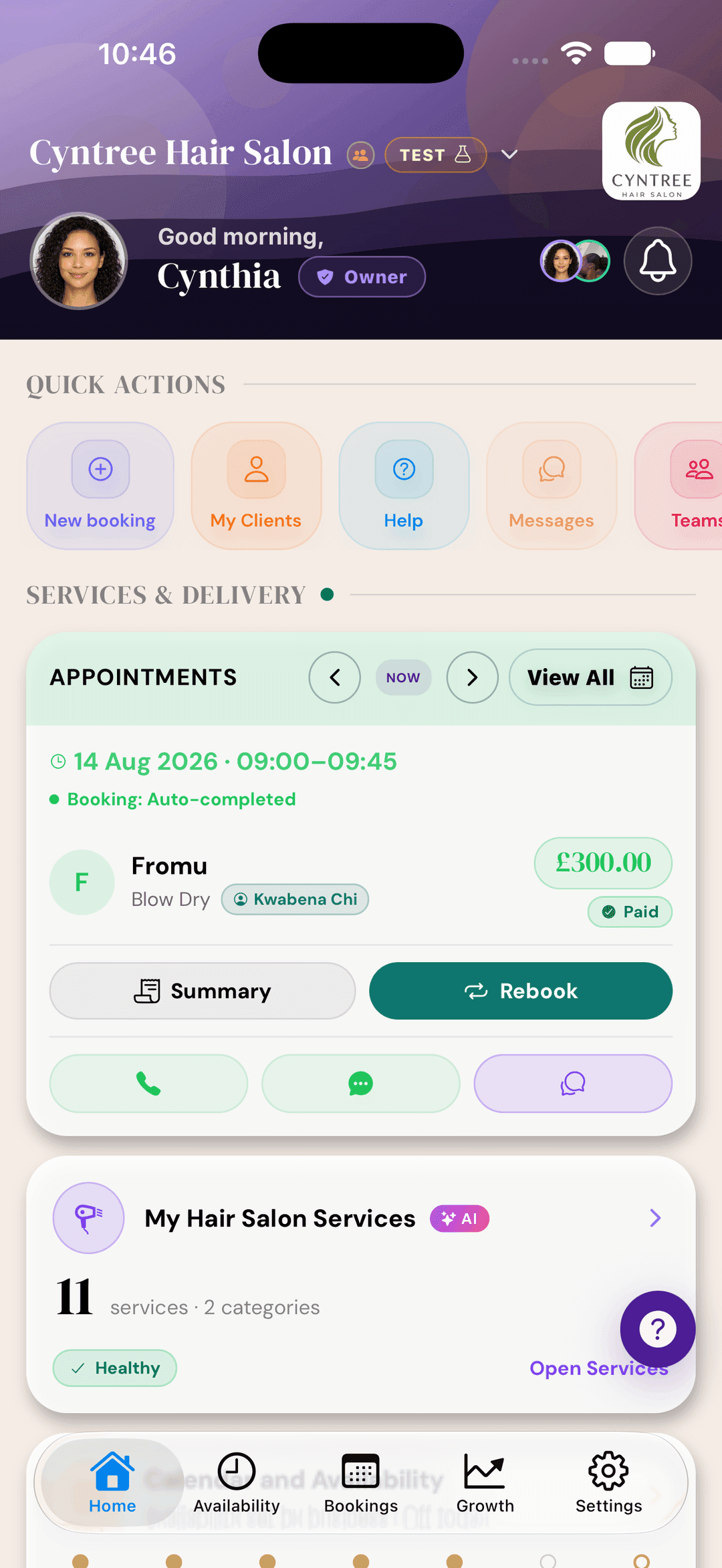
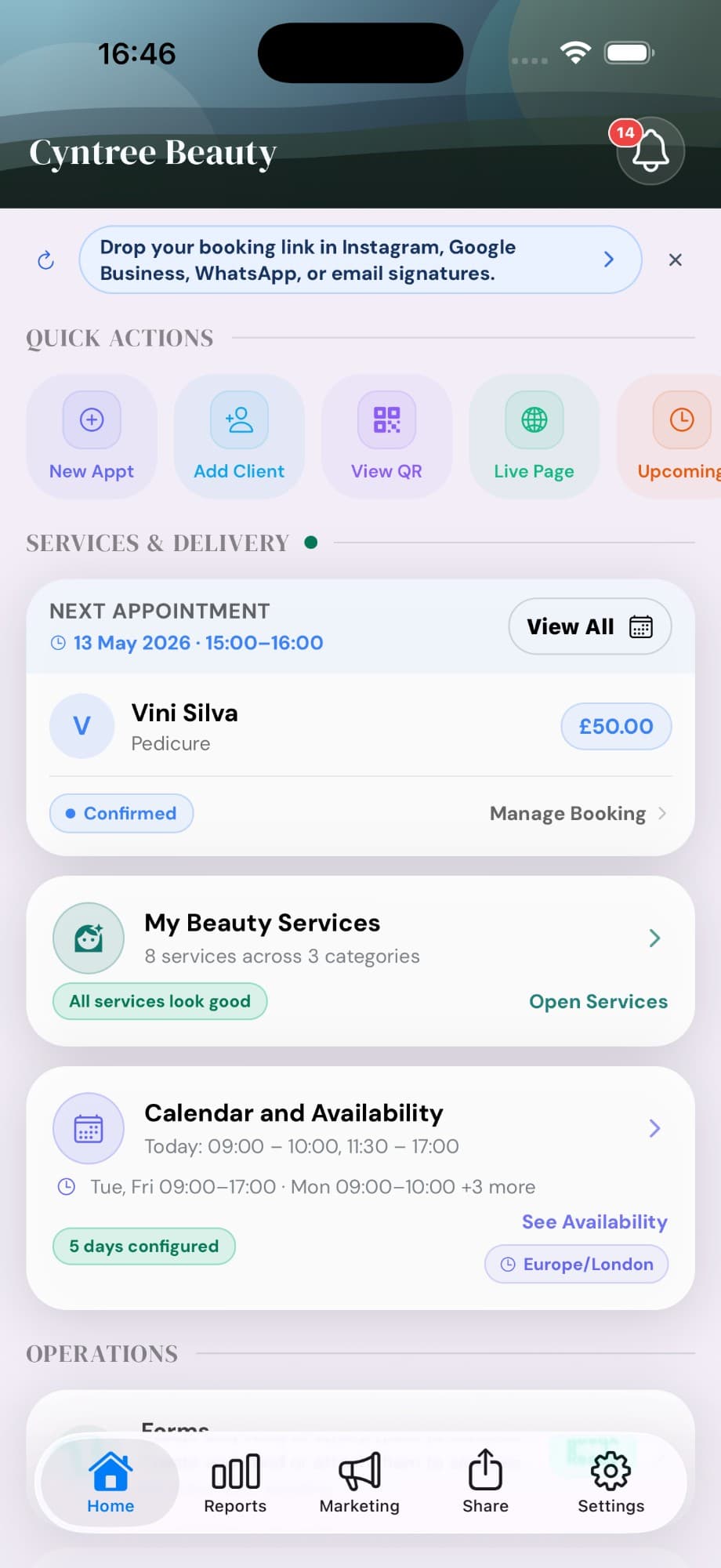
Run everything from the app
Create services, confirm bookings, take payments, send reports, and share your live page without needing a laptop.
Cyntree replaces the scattered tools. Take bookings online, collect card payments via Stripe, manage clients, build a booking website, track reports, and follow up — all from one place, free to start.
Free Starter plan · No credit card · Cancel anytime
Group classes, service add-ons, pre-booking forms, service reports — the tools that go further when your business needs more than a plain booking link.
Create services, confirm bookings, take payments, send reports, and share your live page without needing a laptop.
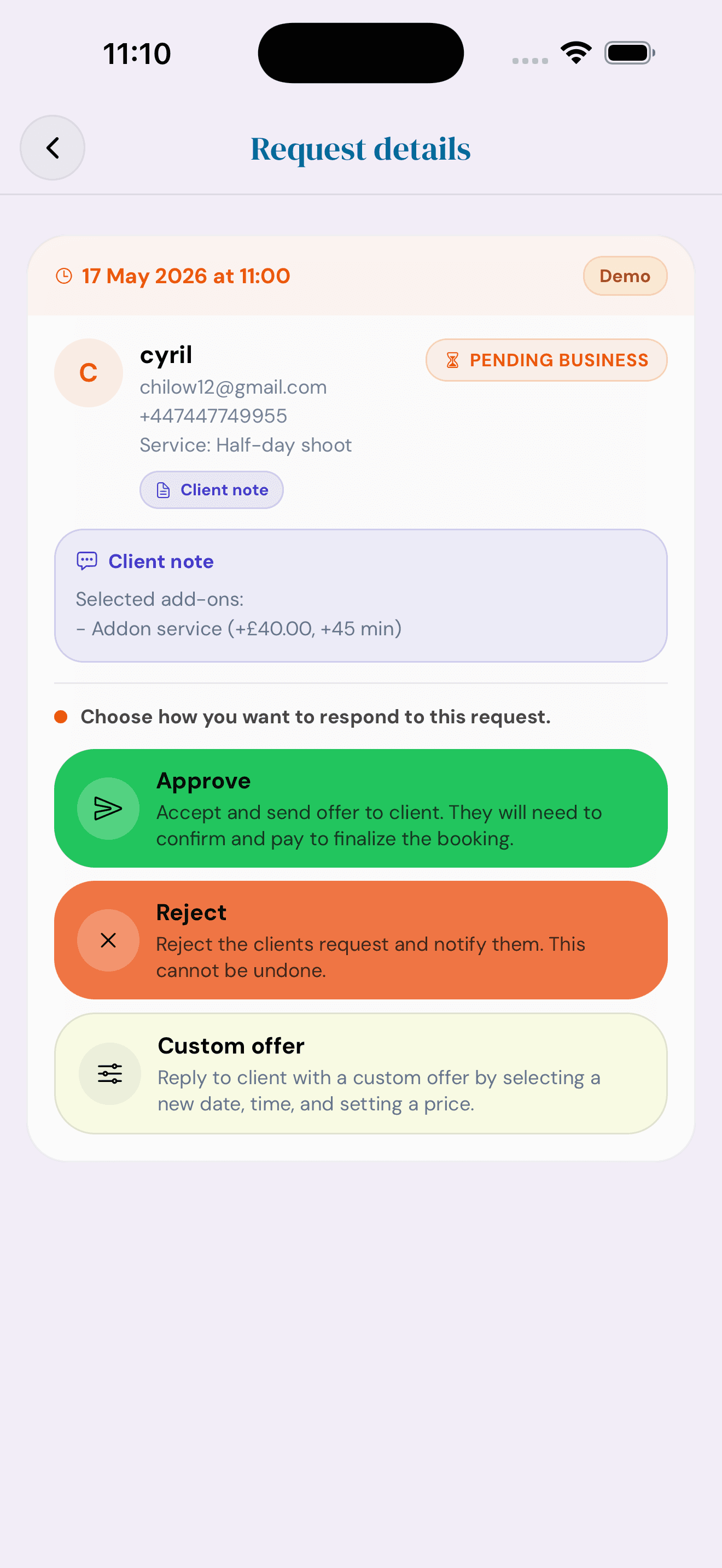
Let clients request custom times or budgets when your normal availability does not quite fit.
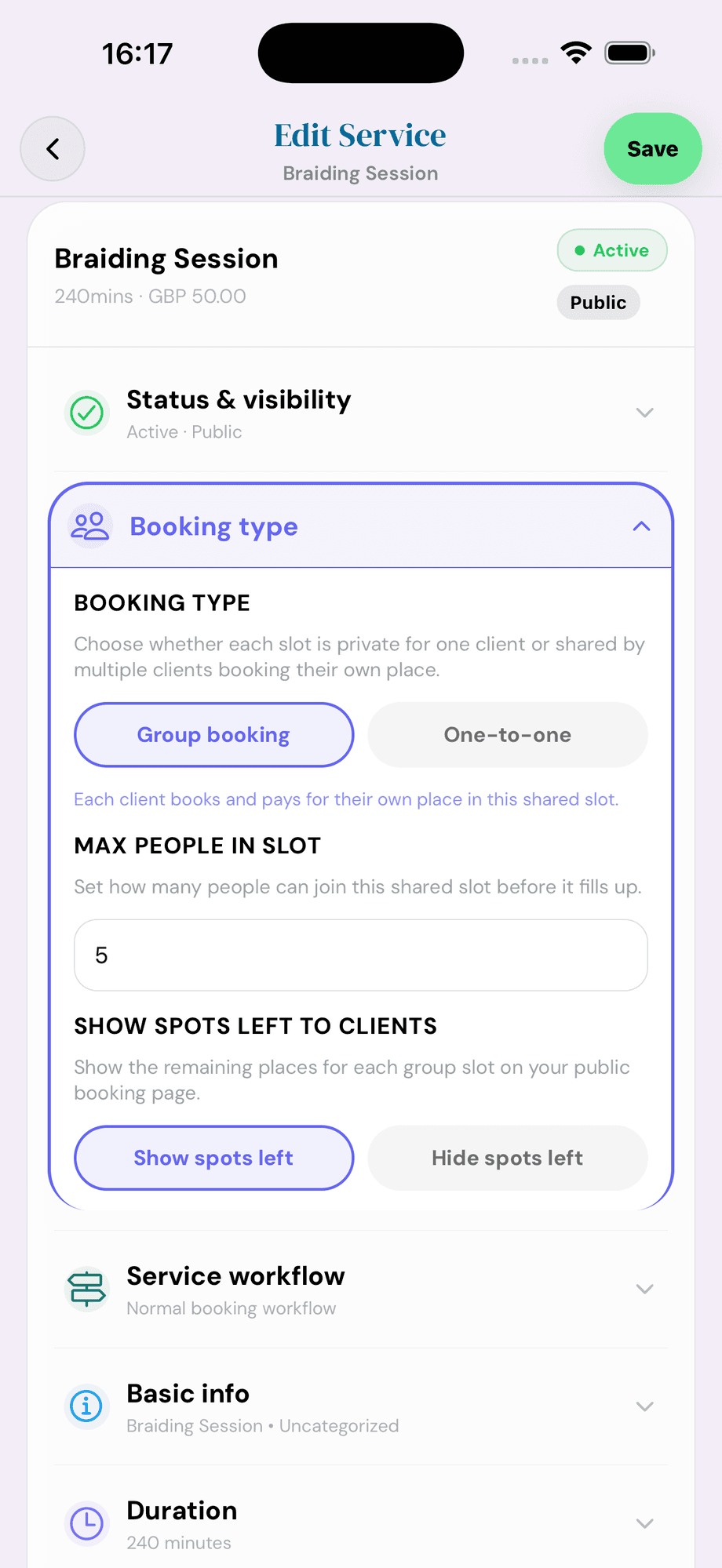
Run classes, workshops, or pop-ups as shared slots. Each client books and pays for their own place, with optional 'spots left' counters on your booking page.
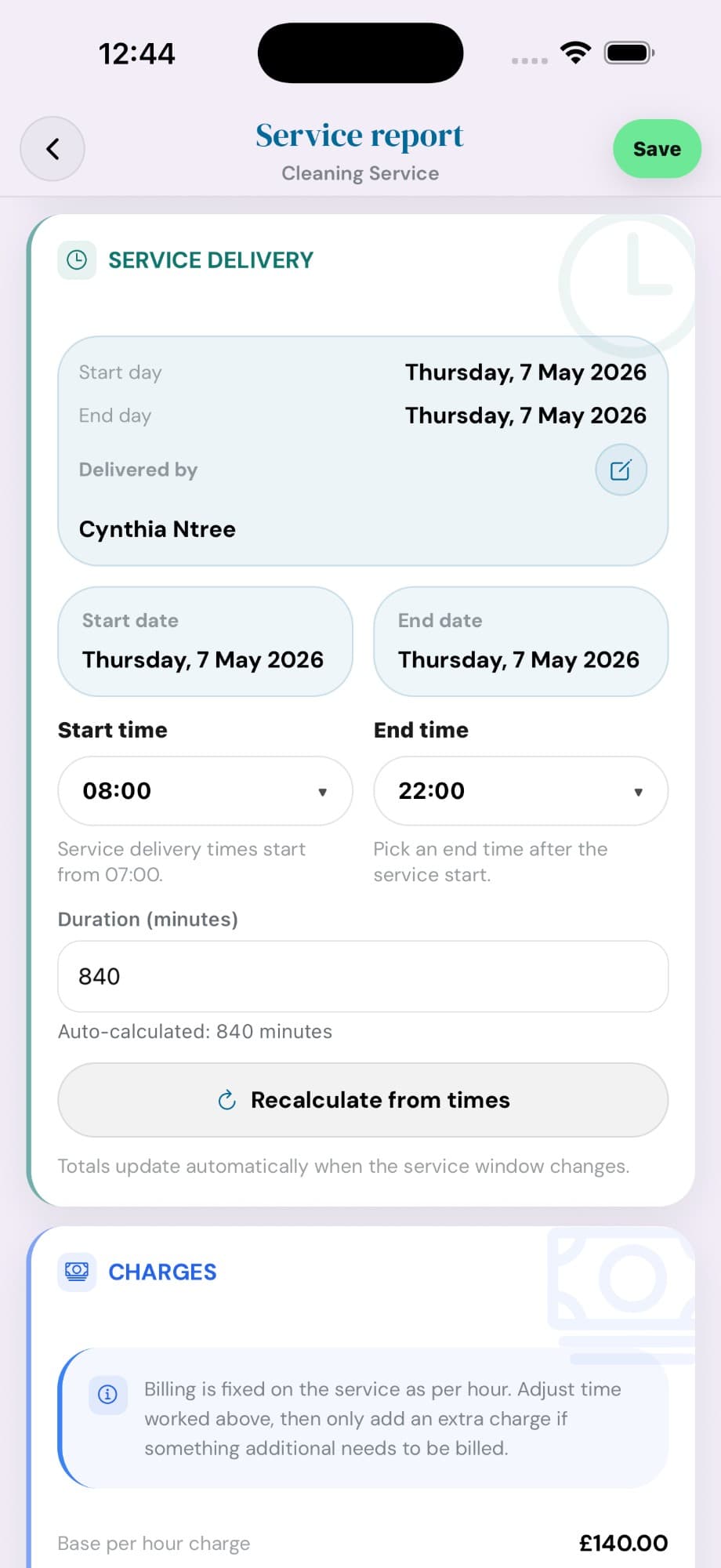
Complete the job, record service delivery and times, recalculate charges, then save and send the final report.
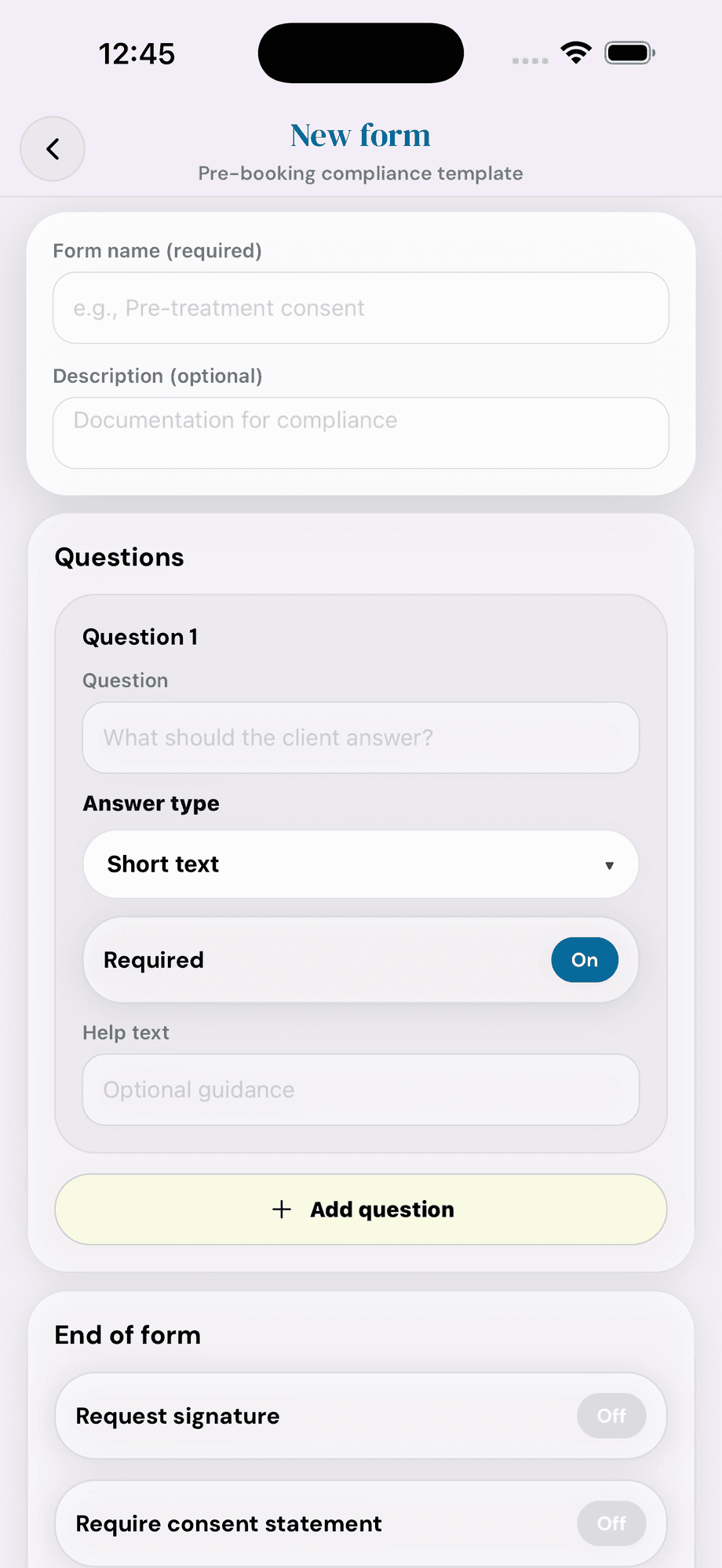
Build short consent and compliance forms with required questions, signatures, and consent statements. Gated before a booking confirms.
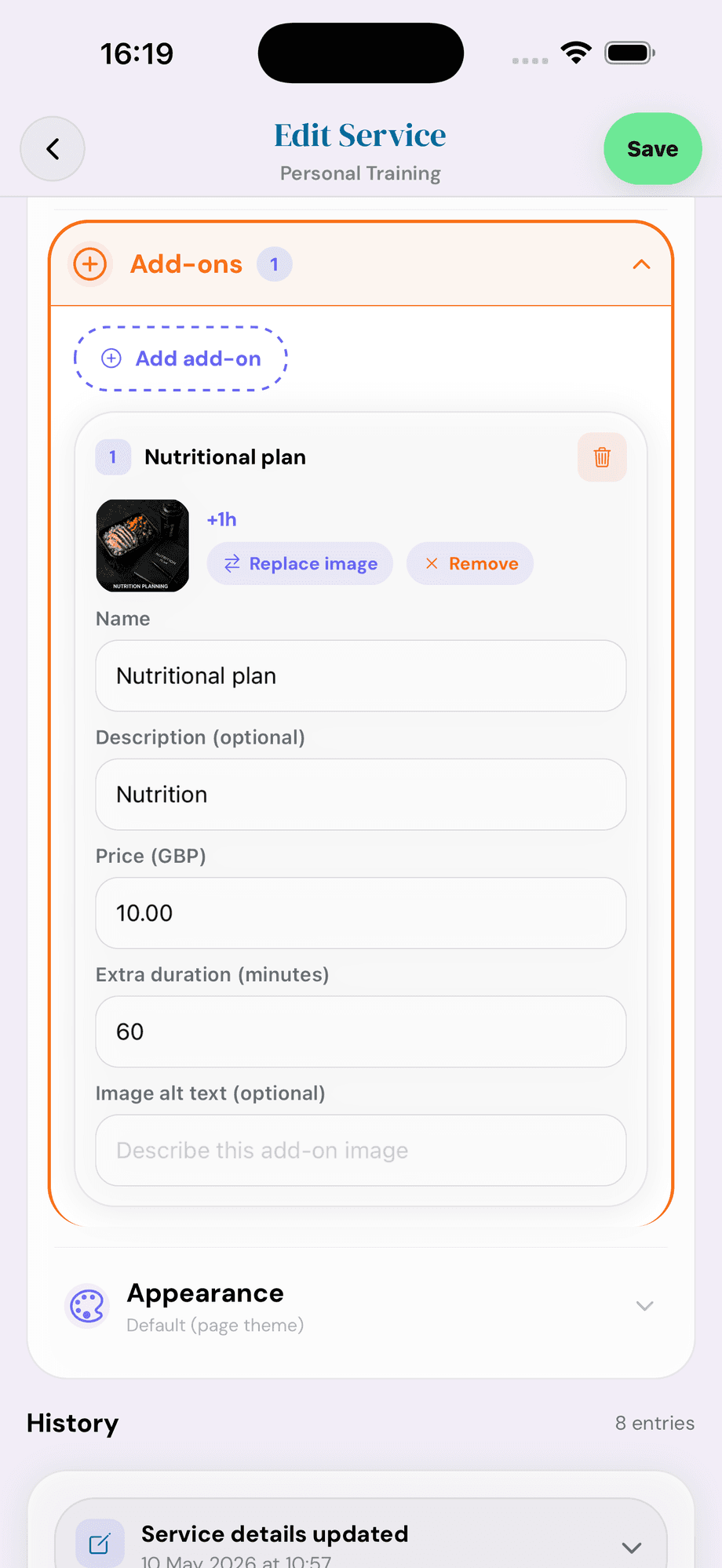
Sell extras on top of each booking — name, description, price in GBP, extra duration, and an image. One add-on can lift average ticket significantly.
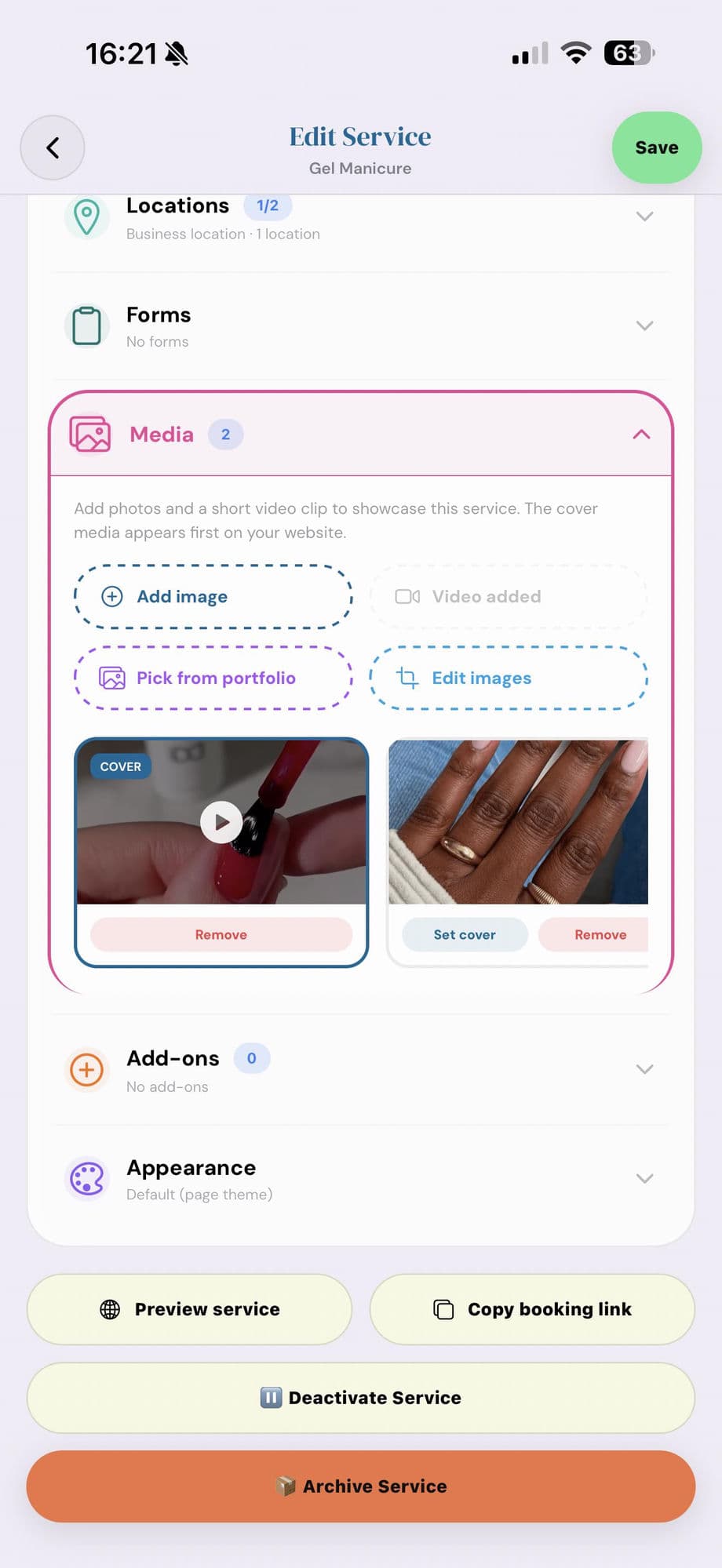
Add short videos to your services so clients see exactly what they’re booking — a real treatment, a finished result, the room they’ll be in. Photos optional, video brings it alive.
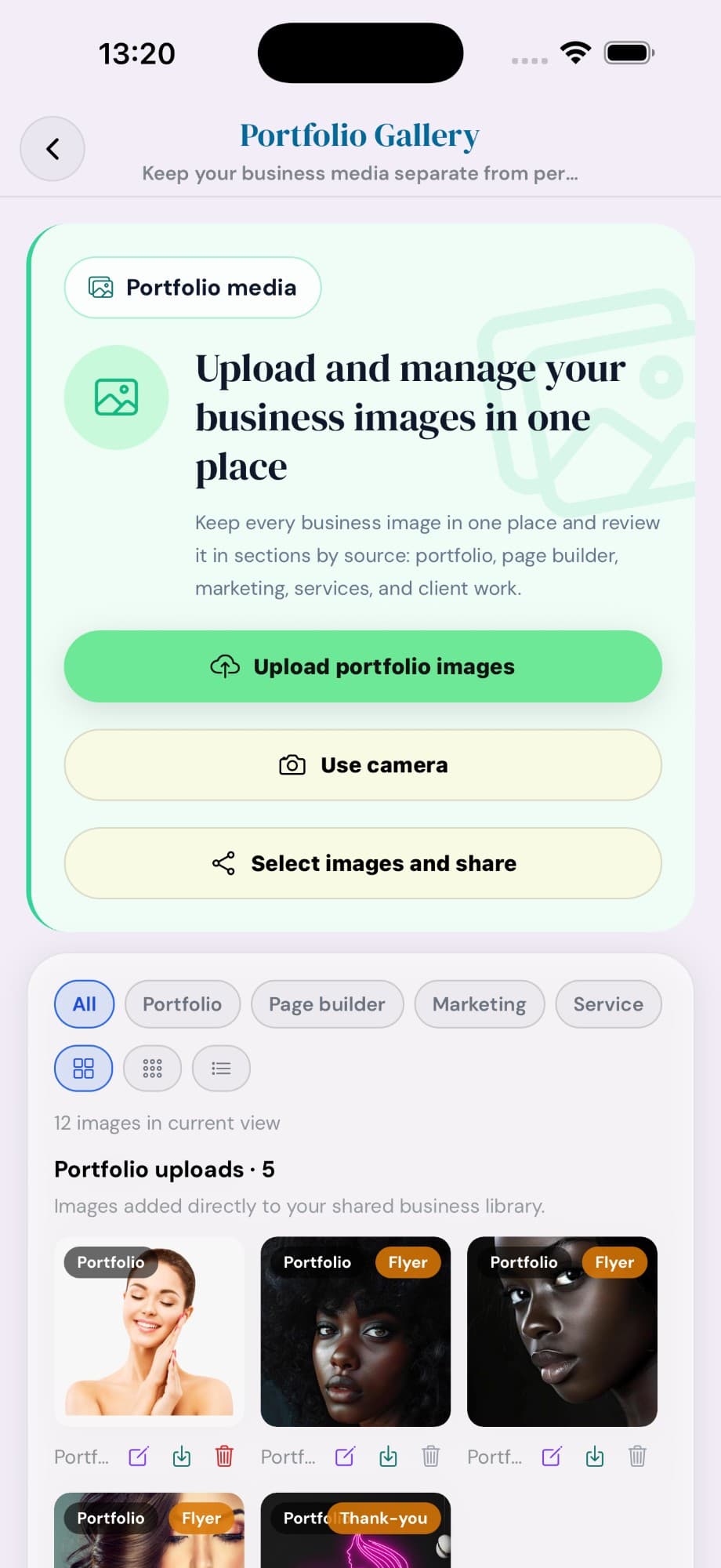
Upload, organise, and share your business media in one place — portfolio shots, page-builder assets, marketing flyers, service photos, client work. Tag images so the right ones show in the right places, and choose what clients can download.
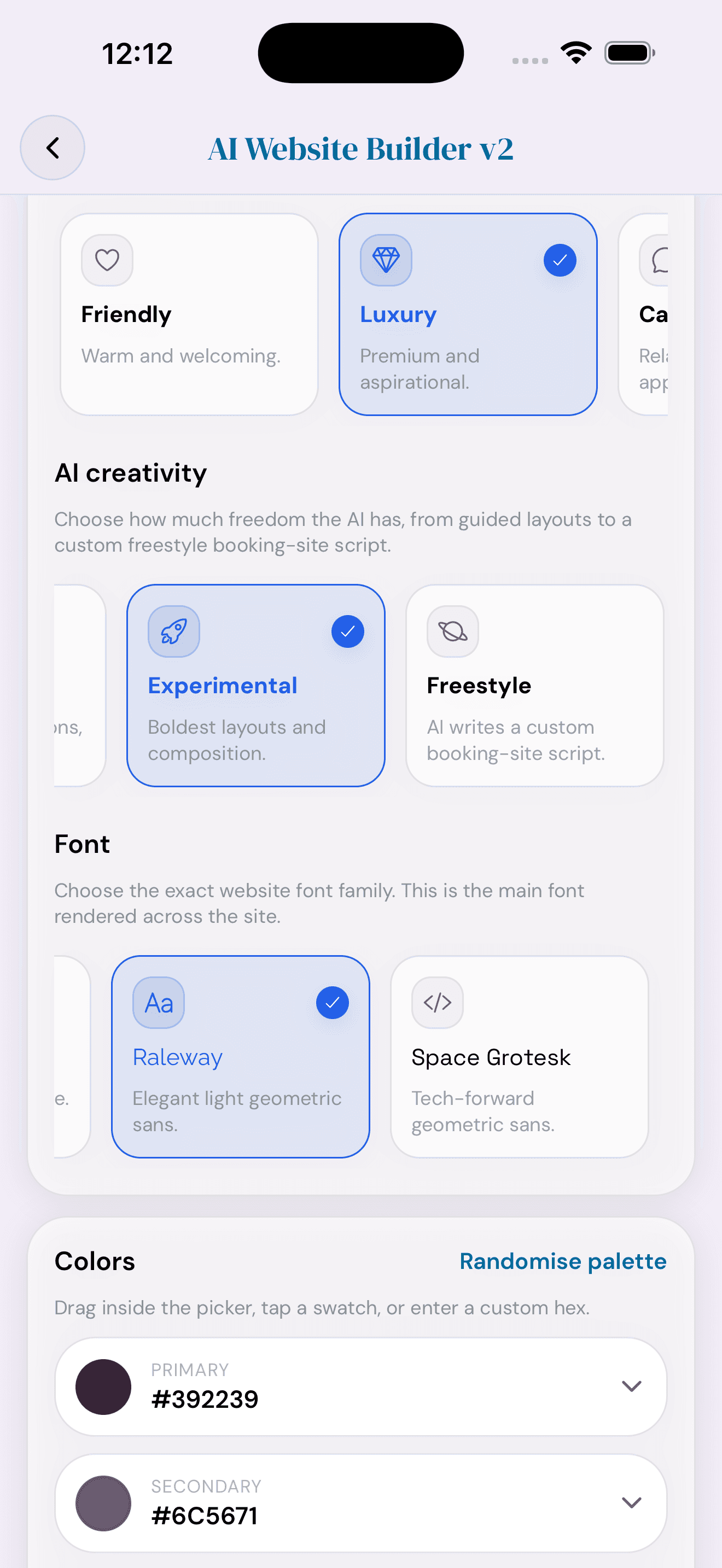
Use AI-generated pages or Canva-style template imports to give your brand a polished public home.
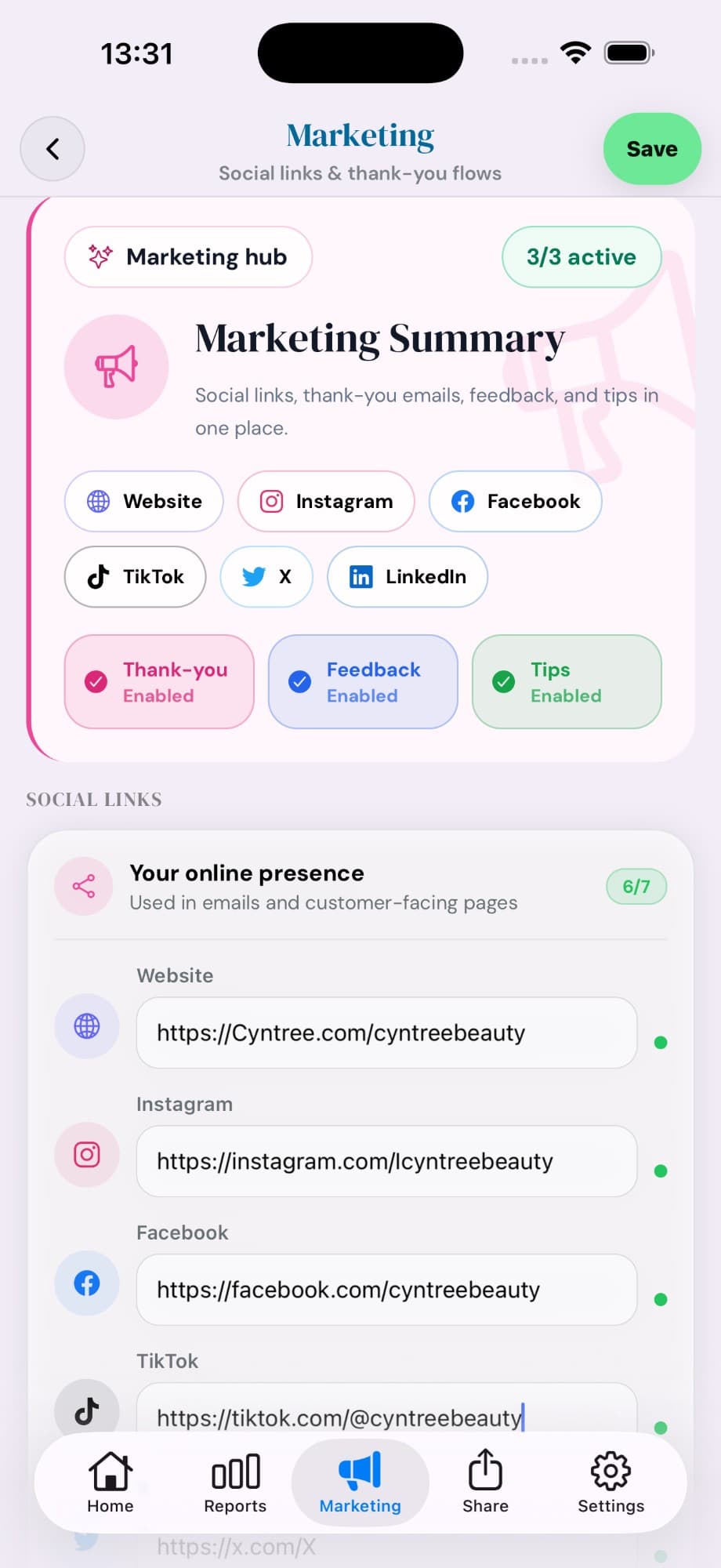
Plug in your social links once — Website, Instagram, Facebook, TikTok, X, LinkedIn — then flip on the thank-you, feedback, and tips automations. Six channels covered, three automations live, all from one screen.
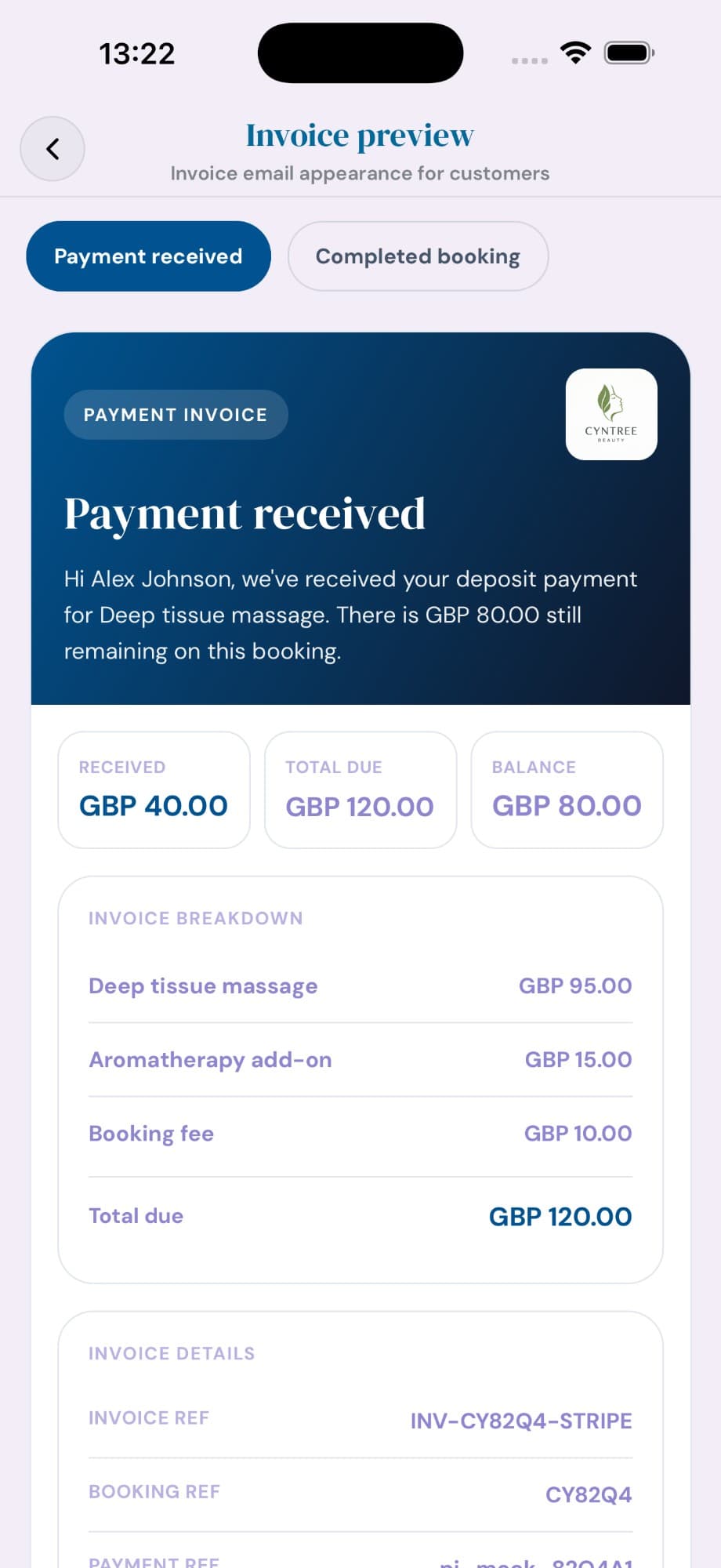
Every payment generates a polished, branded invoice email — with your logo, the service breakdown, deposit received, balance still due, and full payment references. Clients see receipts that look professional.
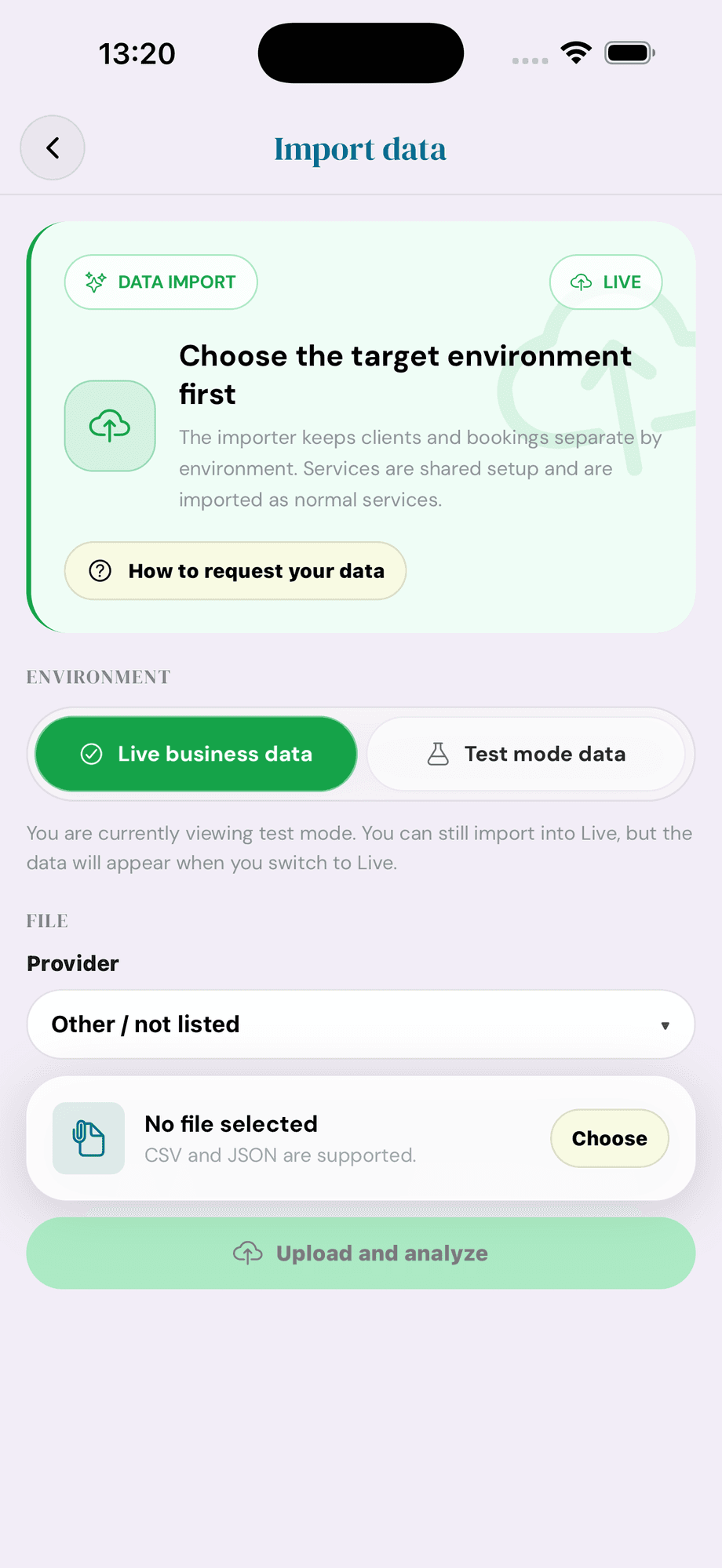
Coming from Fresha, Booksy, Acuity, or anywhere else? Drop in a CSV or JSON of your clients and bookings and Cyntree imports them — choose Live or Test environment so test data never mixes with real customers.
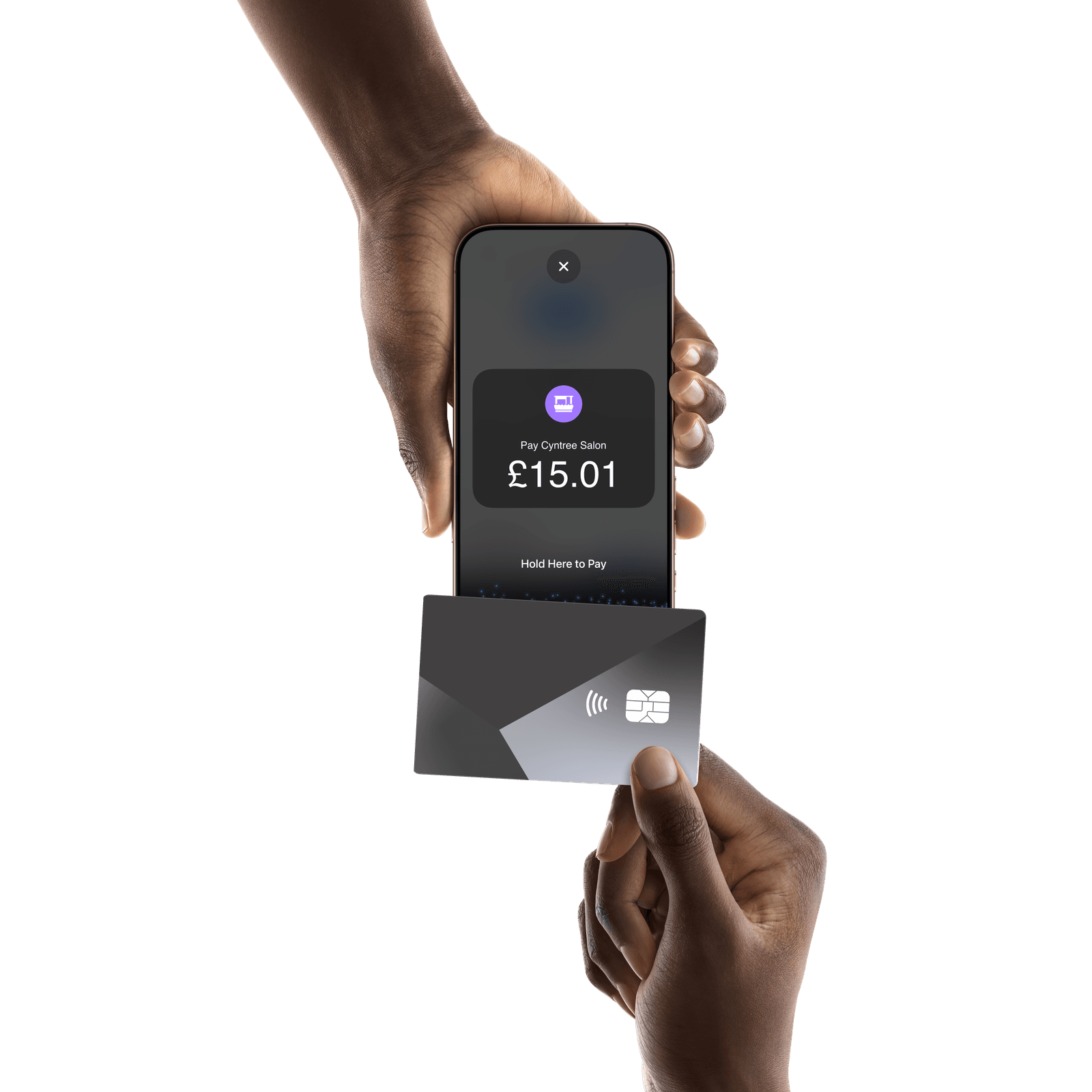
With Tap to Pay on iPhone, accept contactless debit and credit cards, Apple Pay, and other digital wallets right in the Cyntree app — no card reader and no extra hardware. Tap, done, straight onto the booking.
Bill anyone for anything — products, extras, one-off jobs — with proper line items. Take payment in person with Tap to Pay on iPhone, or send a secure card-payment link. Paid, tracked, and receipted, all from your phone.
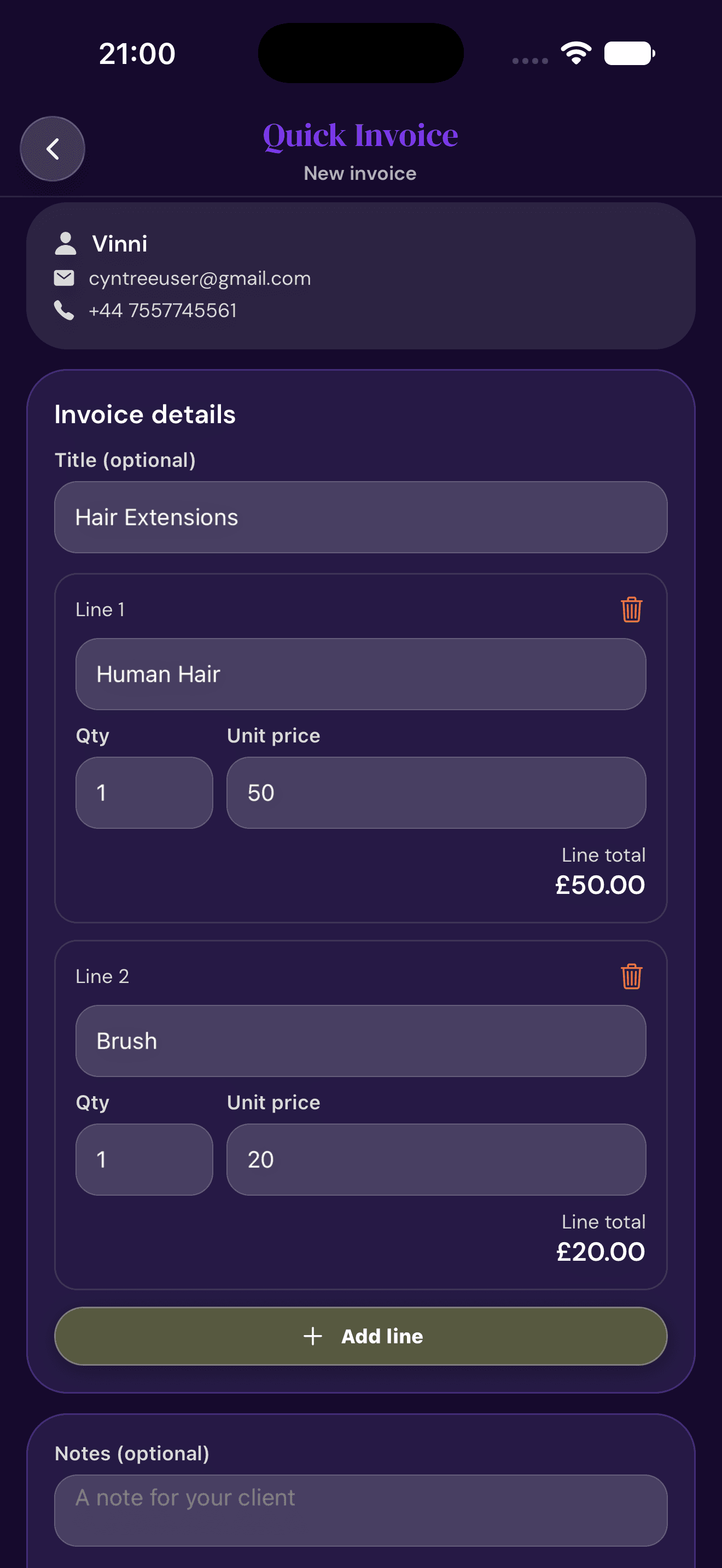
Add the client, drop in line items with quantities and prices, and Cyntree totals it as you go. No templates, no spreadsheets.
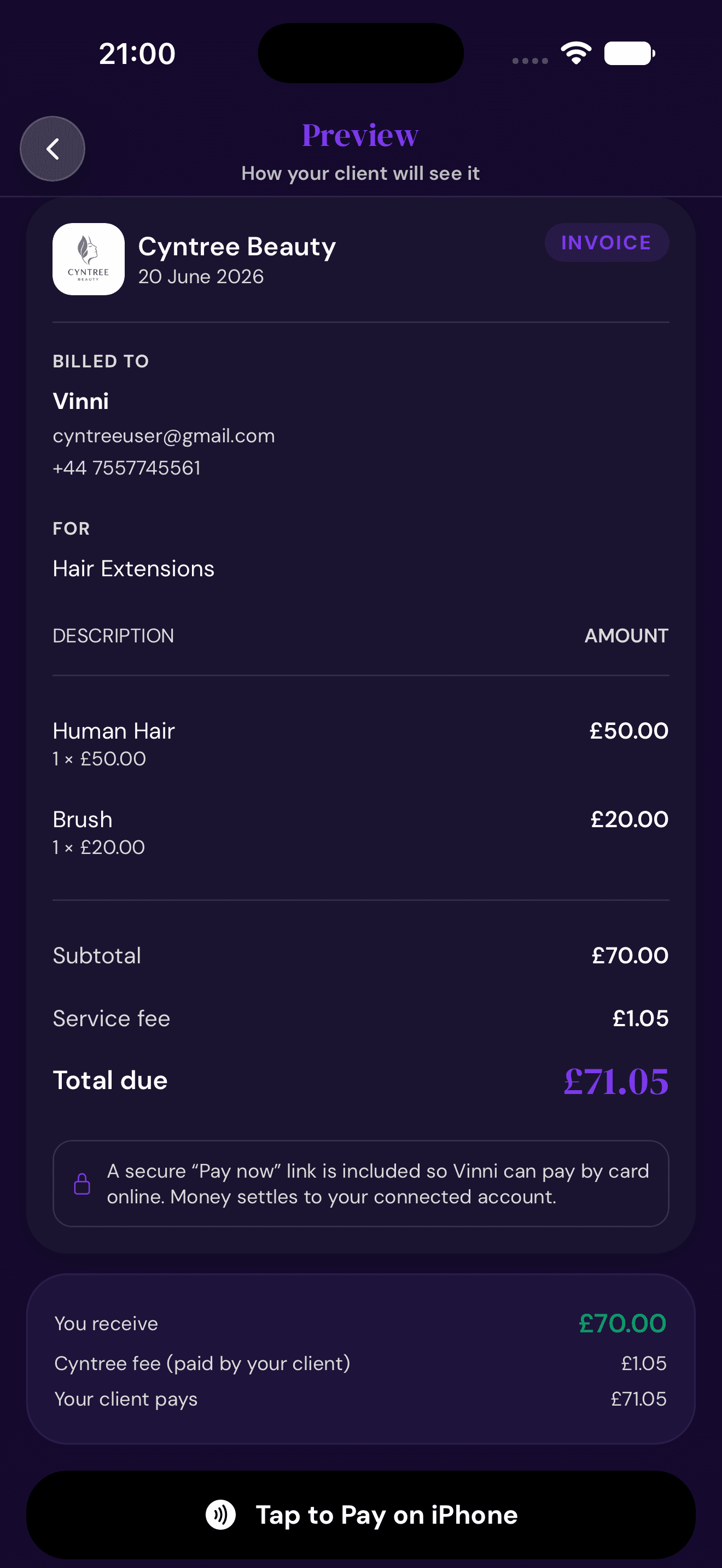
Preview exactly what the client sees, then take payment in person with Tap to Pay on iPhone — or share a secure card-payment link. Money settles to your connected account.
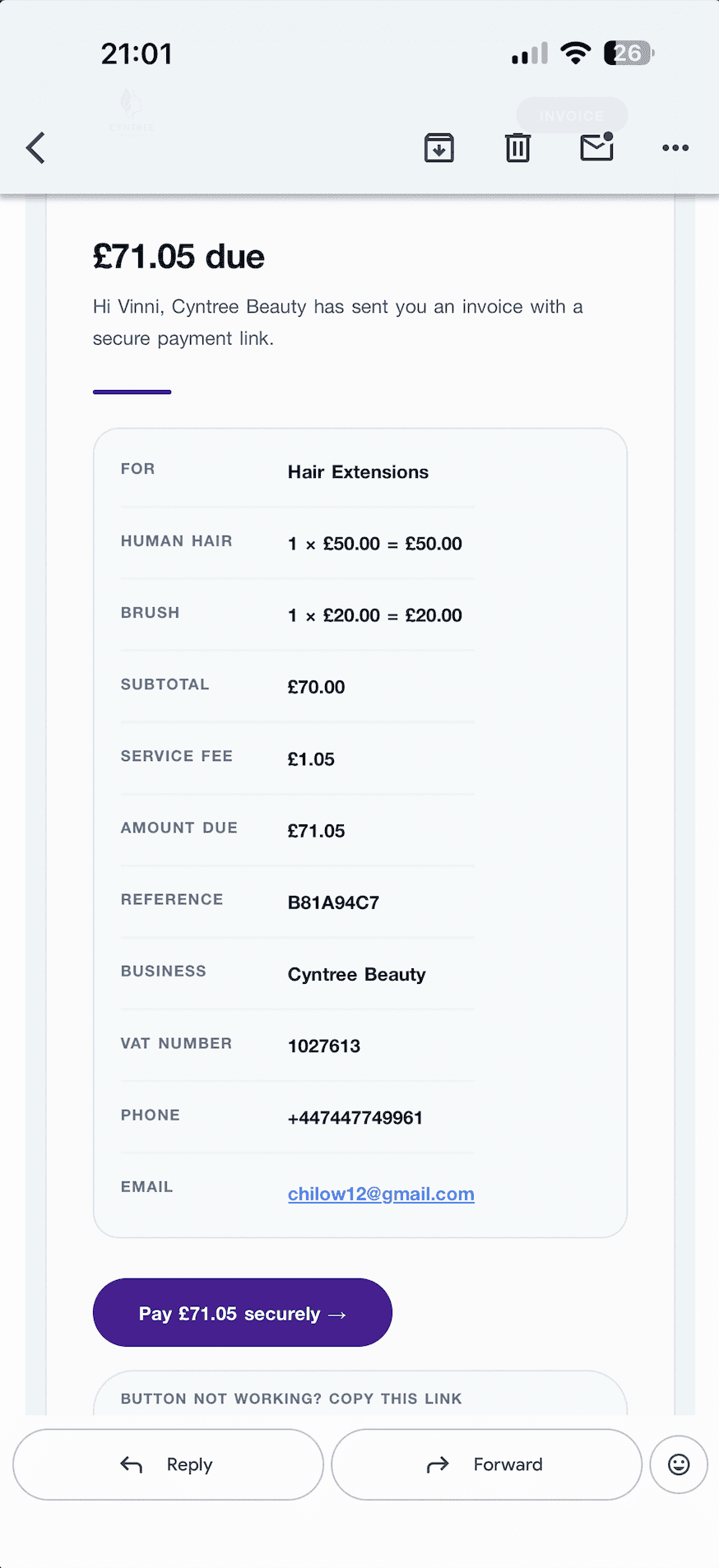
Send it and your client gets a branded email with a secure ‘Pay securely’ button — full breakdown, your business details, and a card checkout that works on any device.
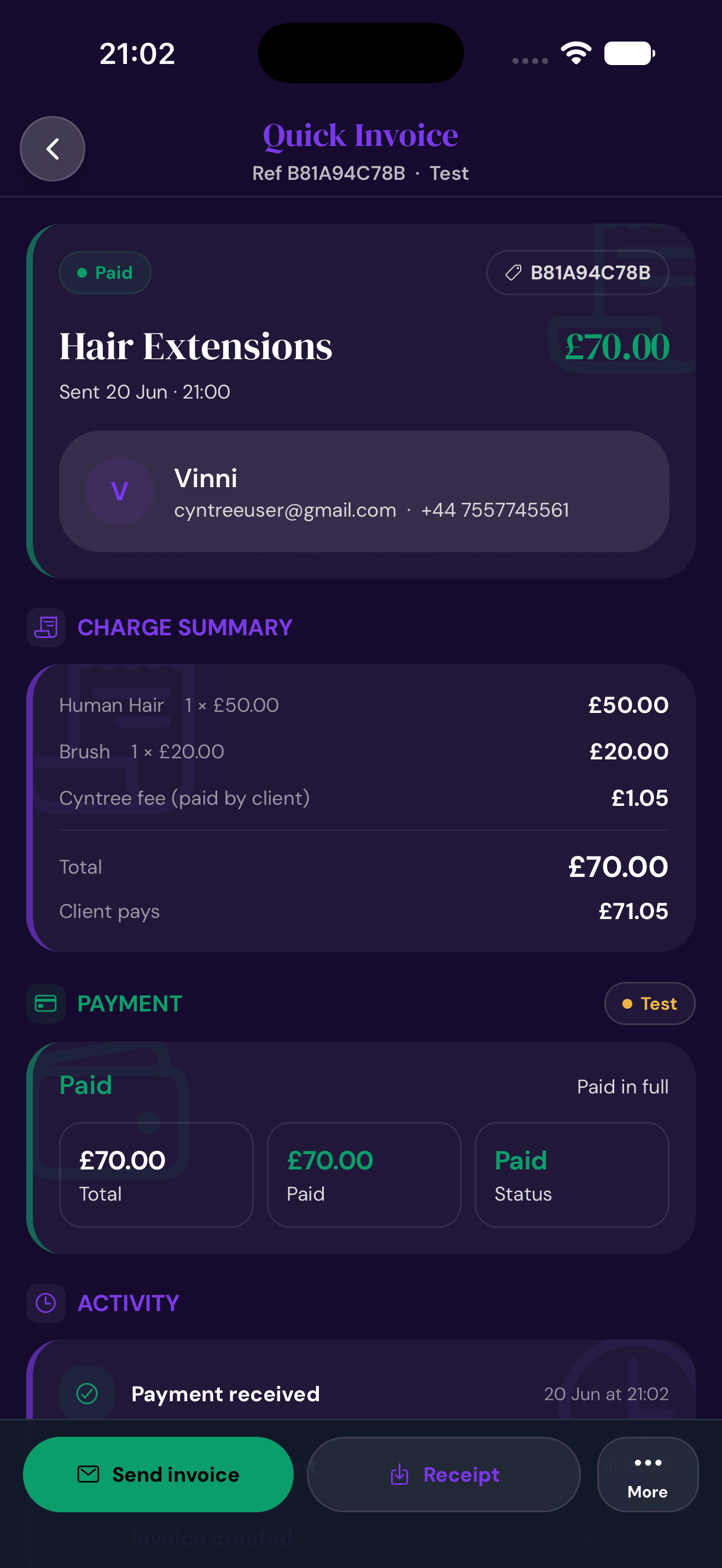
Every Quick Invoice shows live payment status, a full activity trail, and a one-tap receipt — so you always know what’s been settled.
When a client wants a time you're not normally open, Cyntree collects the request, lets you respond in one tap — approve, reject, or counter with a custom offer — and handles the payment when they accept.
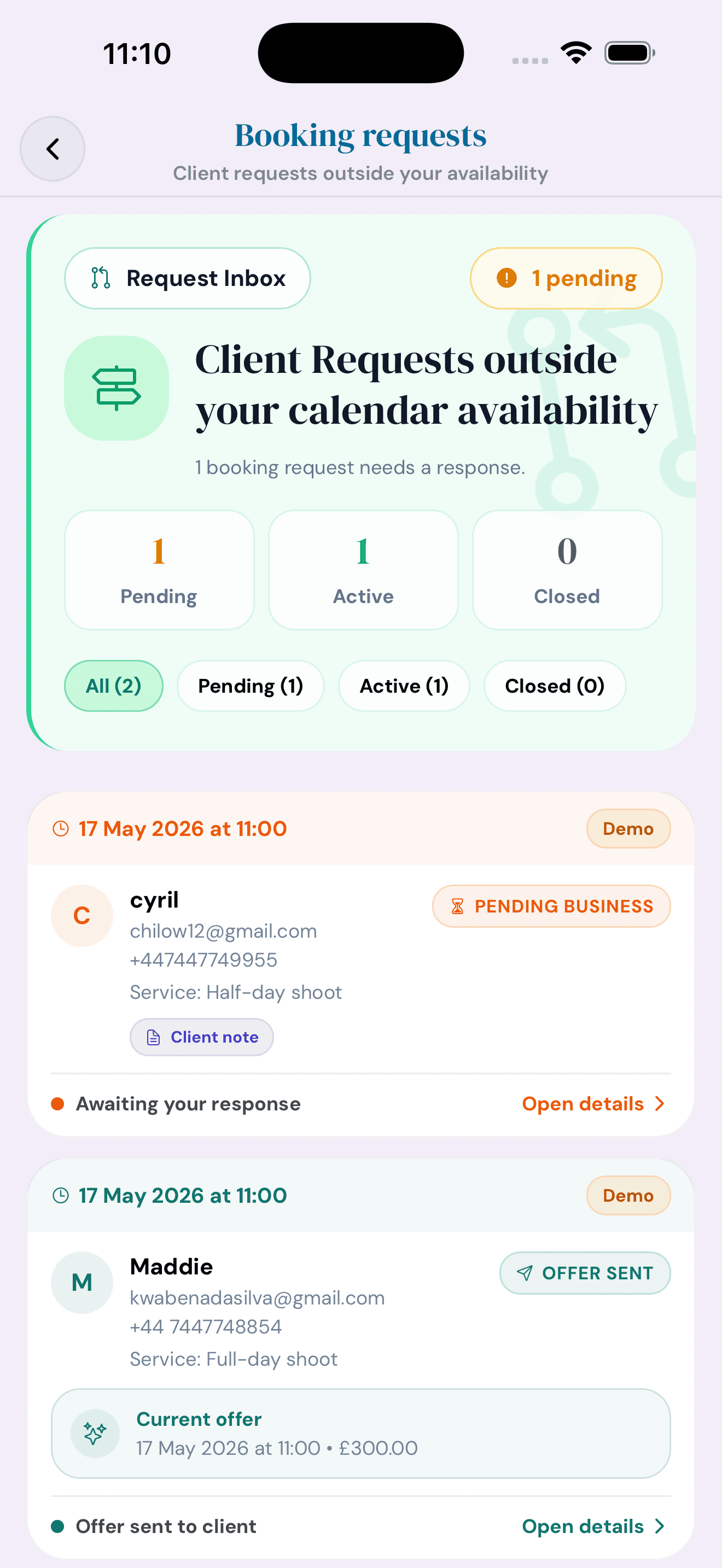
Anything outside your calendar availability collects here. Filter by Pending, Active or Closed so nothing slips through DMs or email.
See the client, service, add-ons and their note in one screen. Three clear paths forward — no back-and-forth, no chasing.
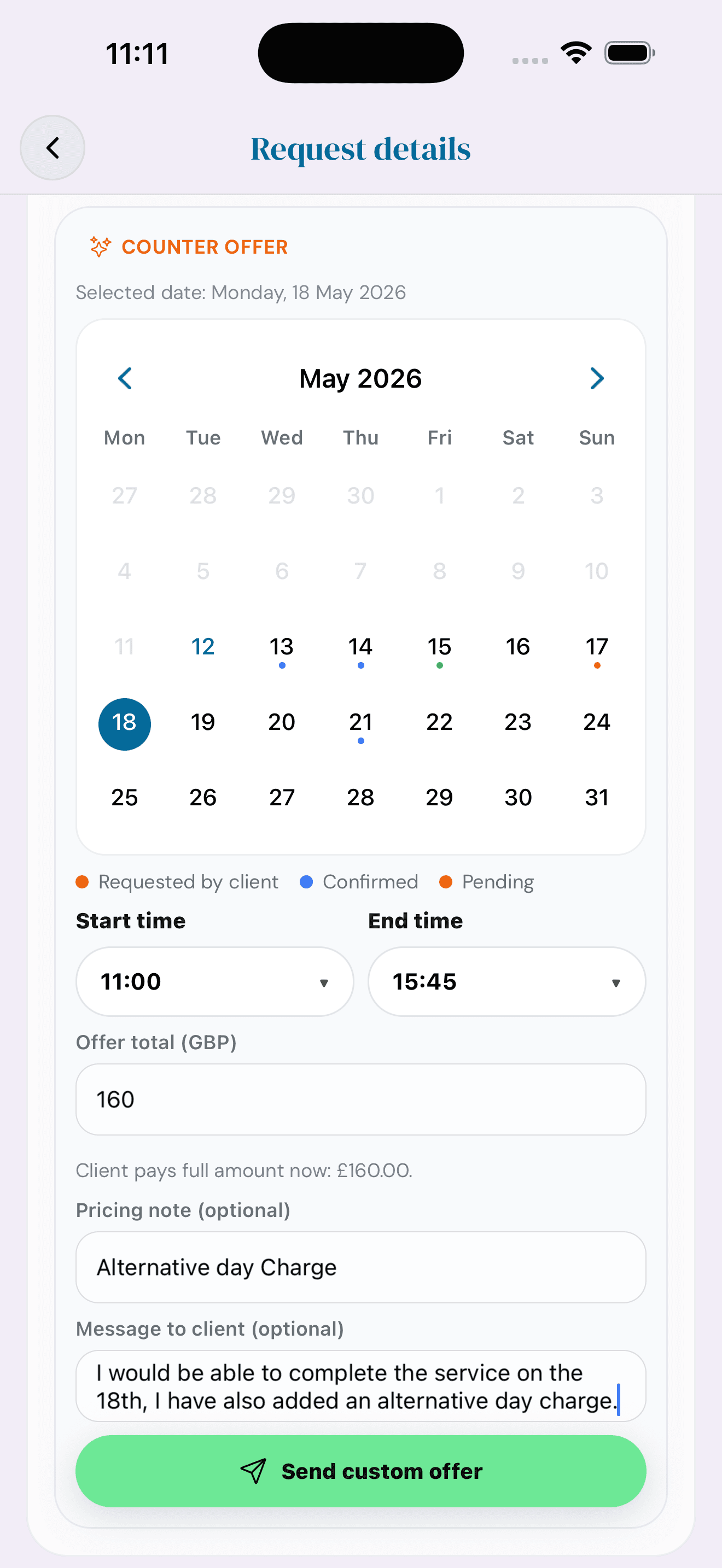
Pick a new date and time from your calendar, set the price, add a pricing note (e.g. 'alternative-day charge') and a short message.
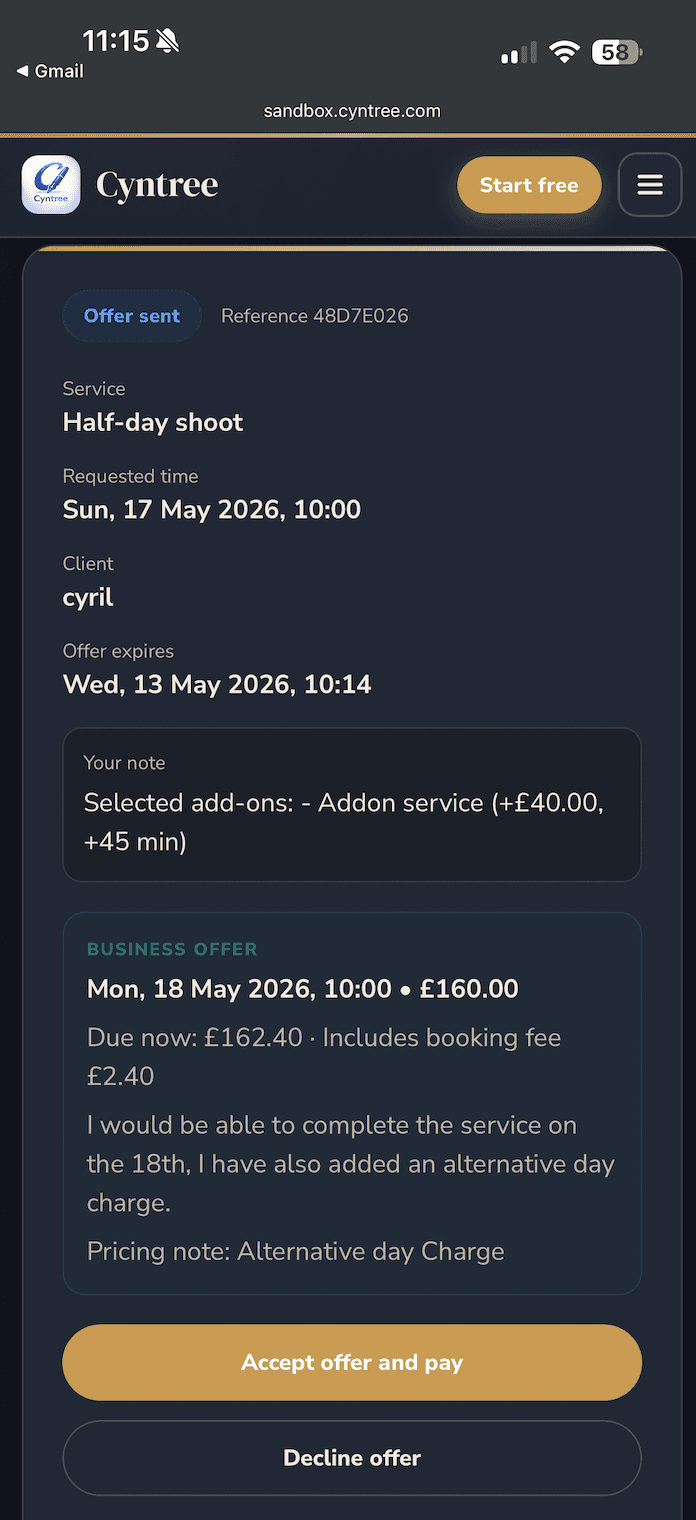
Your offer arrives by email and on a branded web page. They Accept and pay, or Decline — no apps to install, no friction.
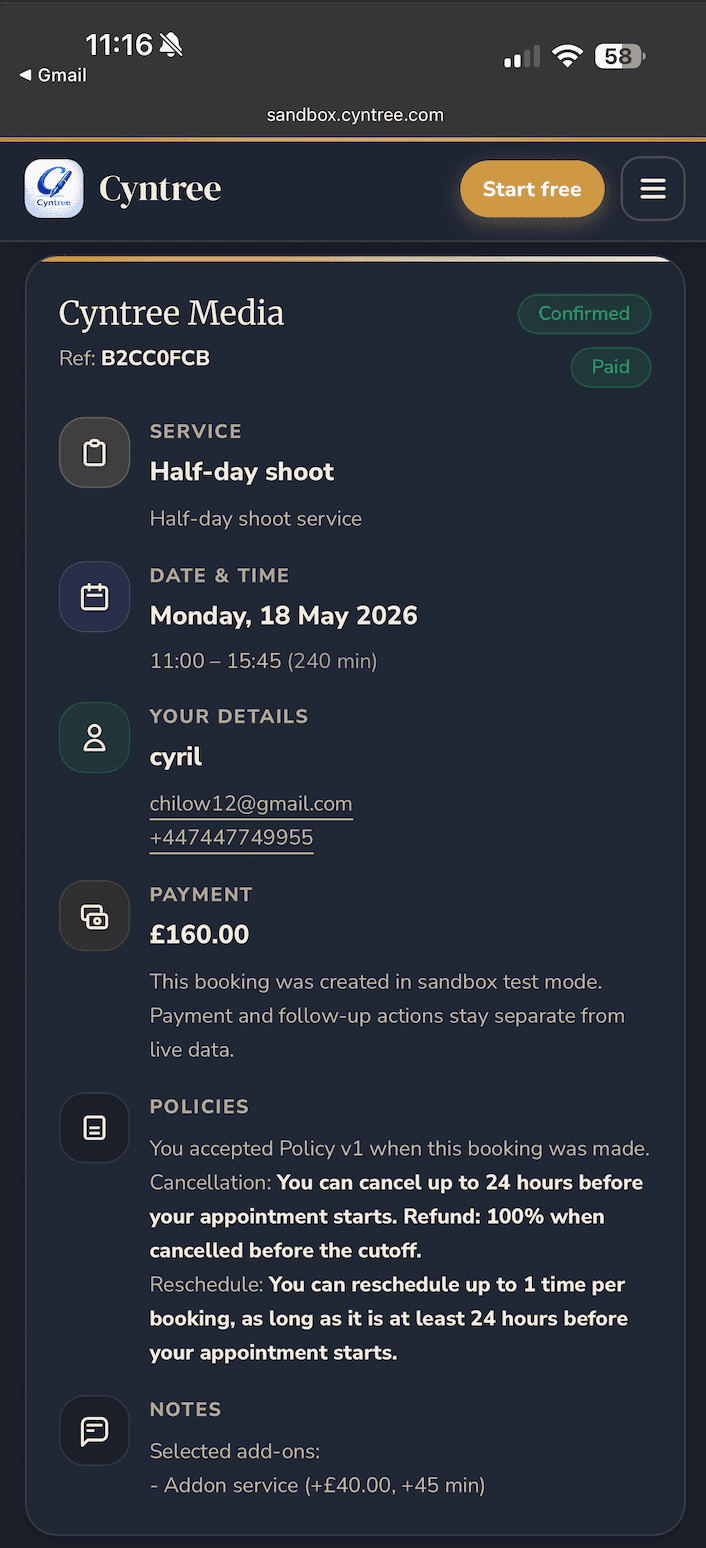
The booking confirms instantly with policies, notes and contact details attached — and the payment is already collected via Stripe.
Pre-booking forms, intake questions, consent and signatures. Send a secure link, lock it to the right inbox, and review signed answers from one screen. PDF on file when you're done.
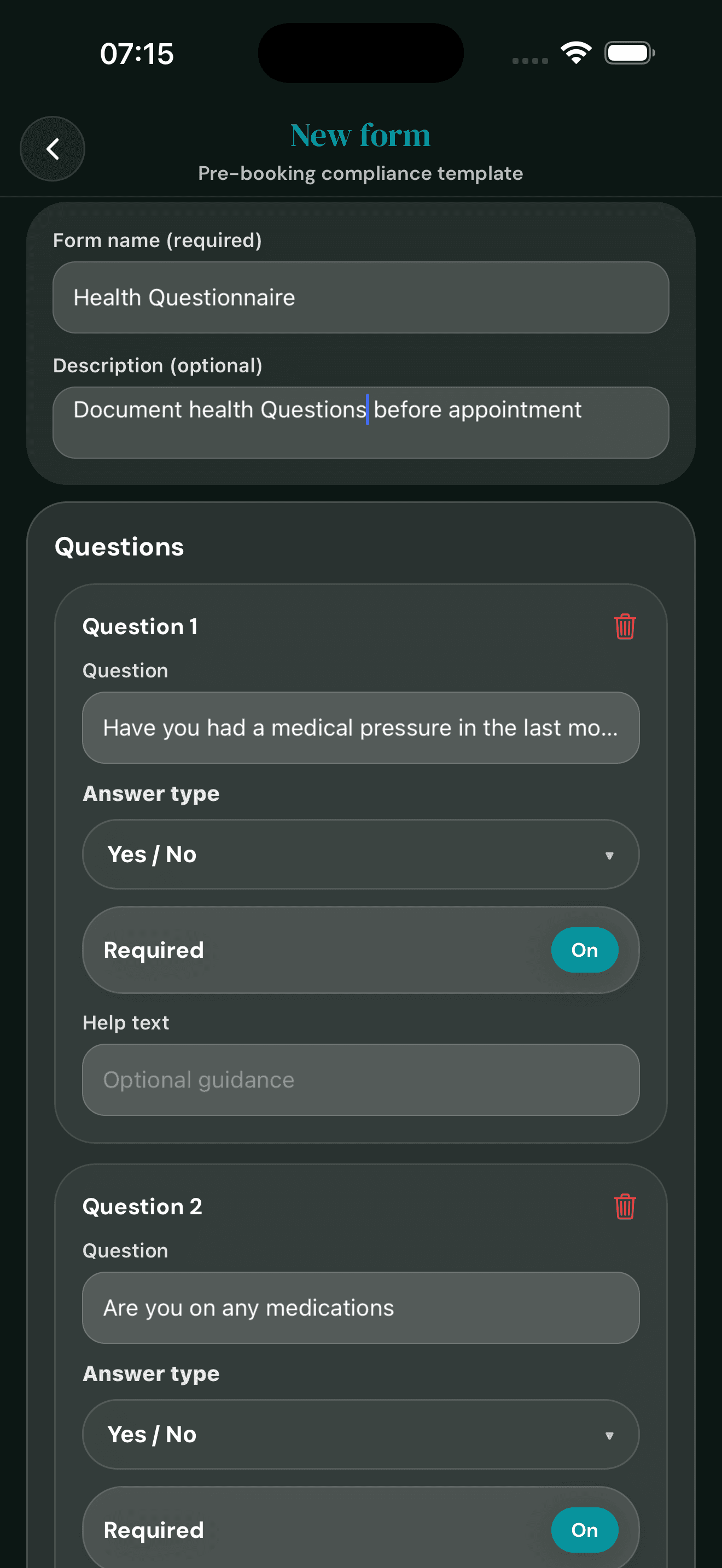
Drag in your questions. Short text, multi-choice, Yes/No, signatures, file uploads. Mark what's required, save it as a template, and it's ready to send to anyone.
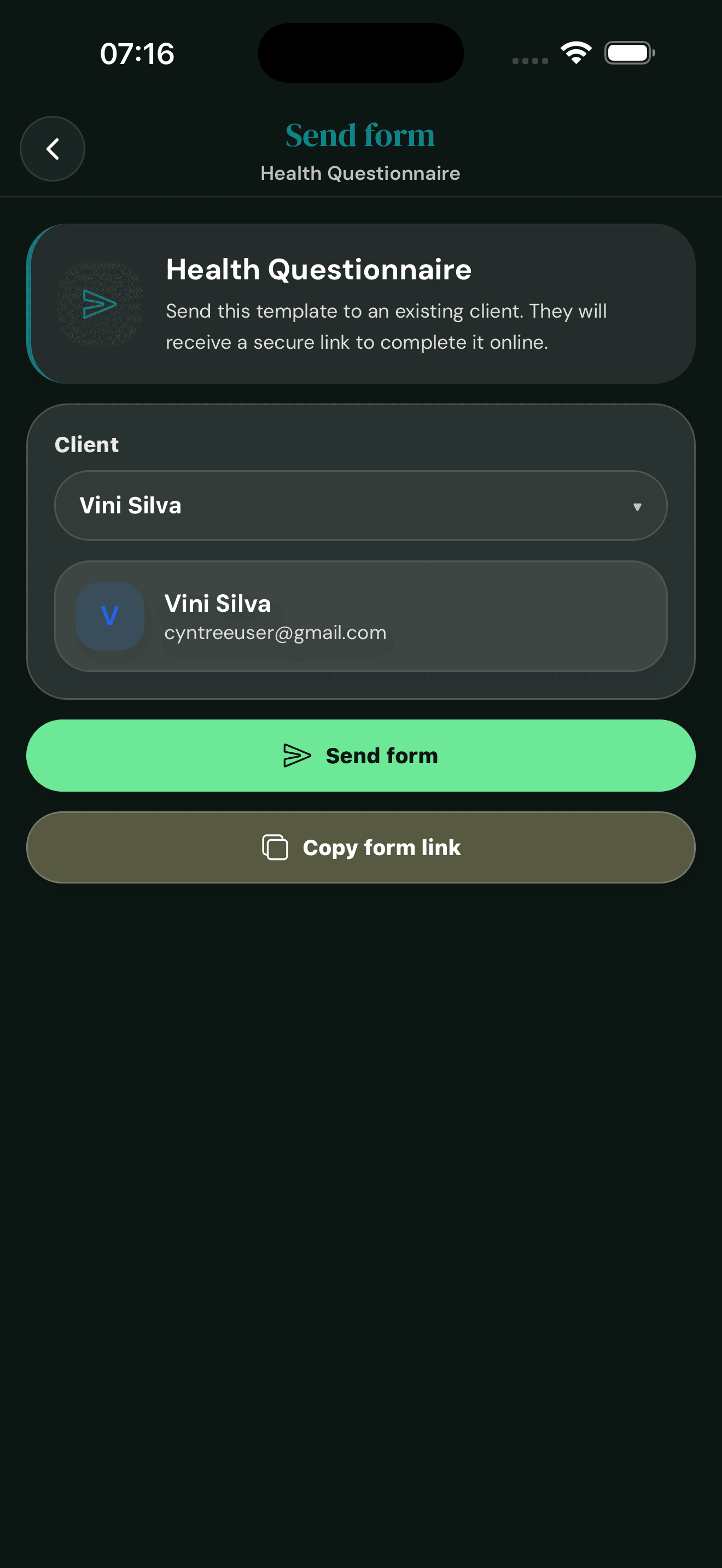
Pick a client, choose a template, hit Send. Cyntree emails a secure link, or copy the URL and share it on WhatsApp, SMS, or your own messages.
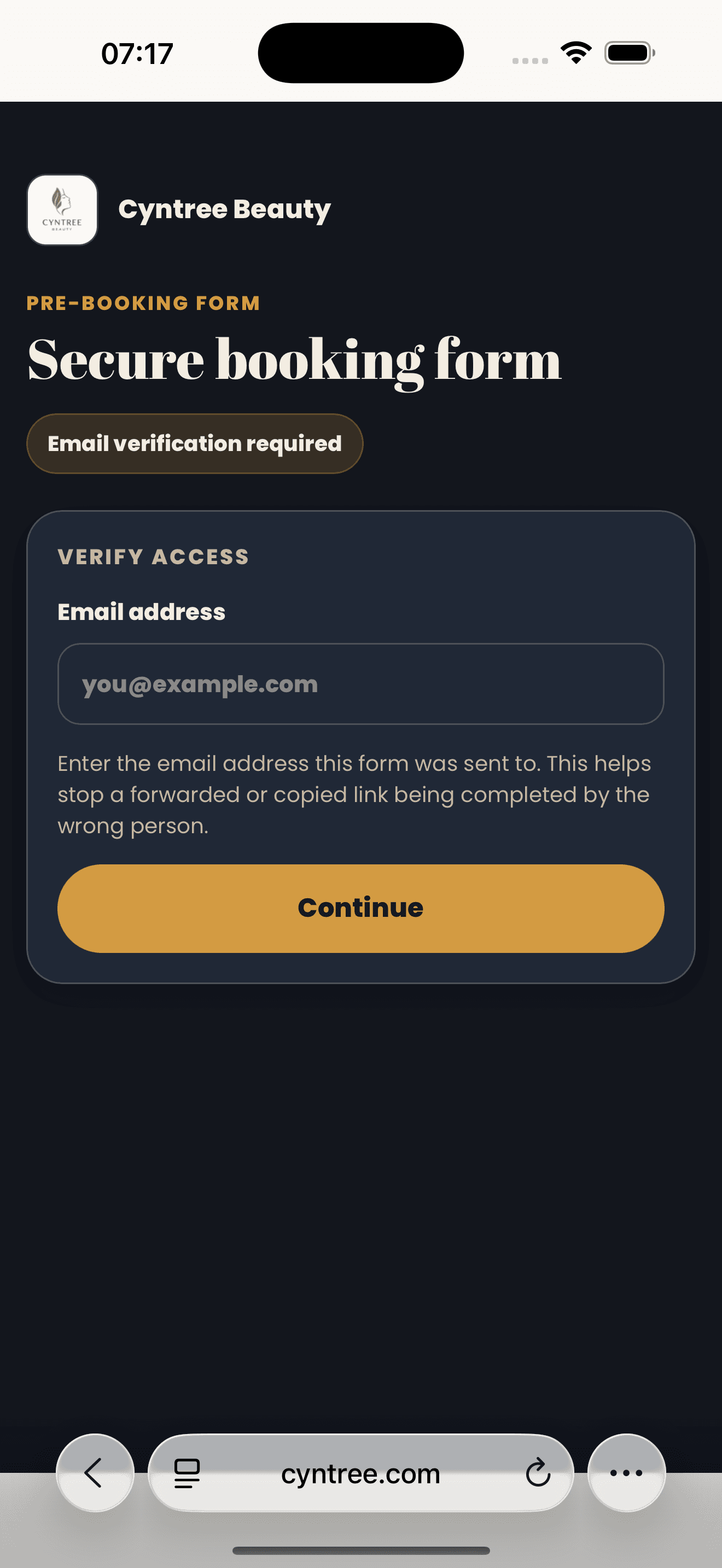
Forwarded, screenshotted, or shared by accident? Doesn’t matter. Only the inbox you sent it to can open the form, so sensitive answers stay with the right person.
Built-in protection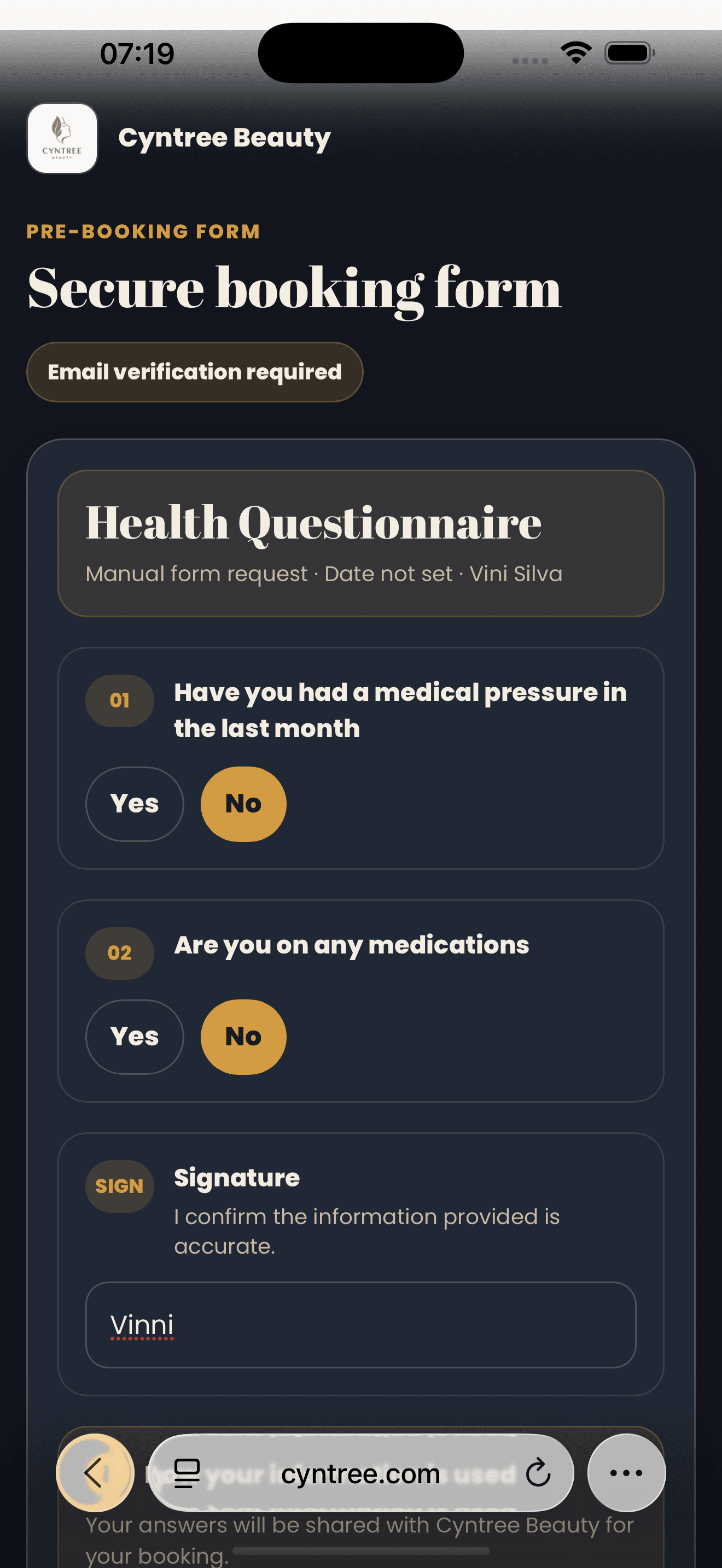
Your client answers on their phone with your business name, colours and logo. Multi-choice, free text, signatures and file uploads, all built in.
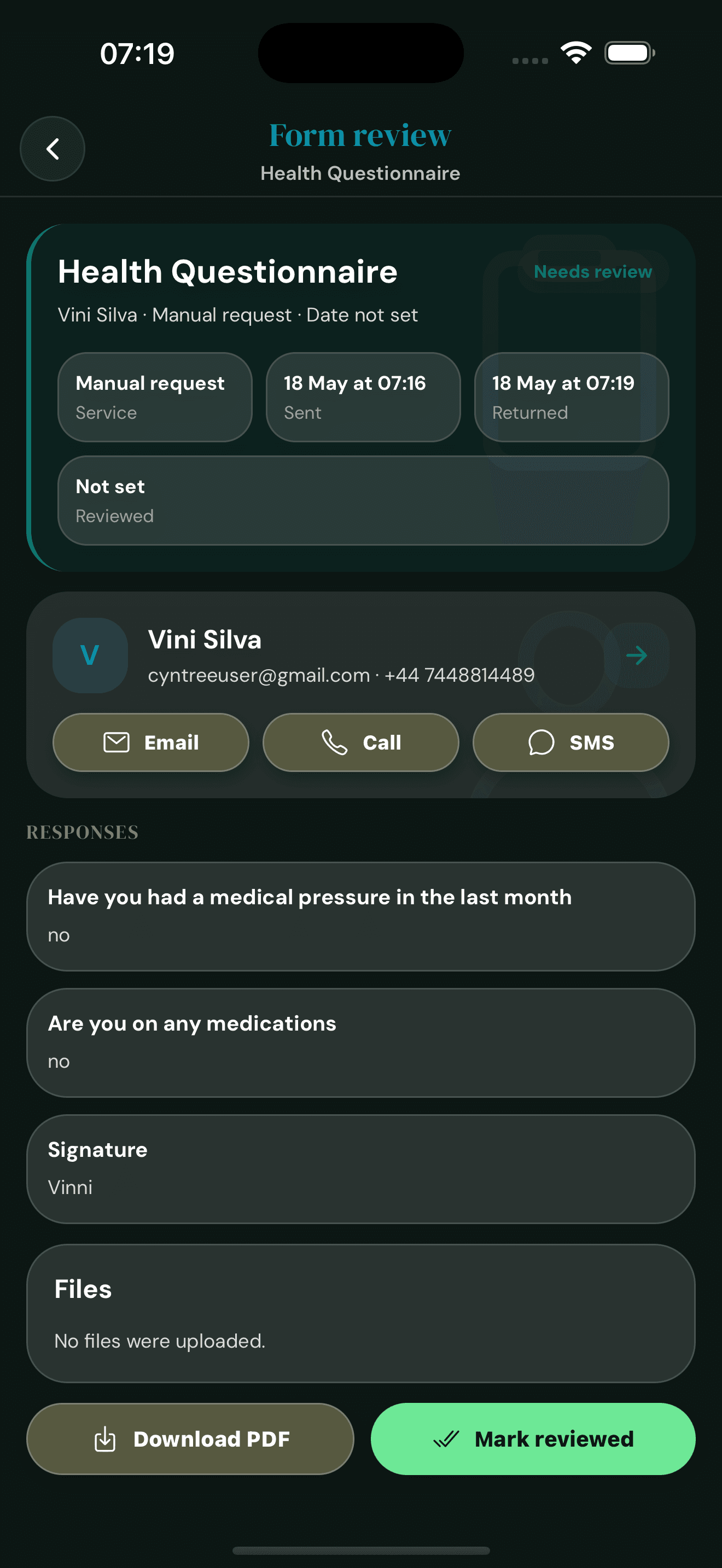
Returned forms land in your dashboard with a Needs review chip. Read the answers, see the signature, mark as reviewed, and save a tidy PDF for your records.
Audit trailBuilt for trades, events, and variable-scope jobs. Set a starting rate at booking, deliver the work, log the real hours, then settle up with a final report. Charges, notes, and a signed receipt, all from one screen.
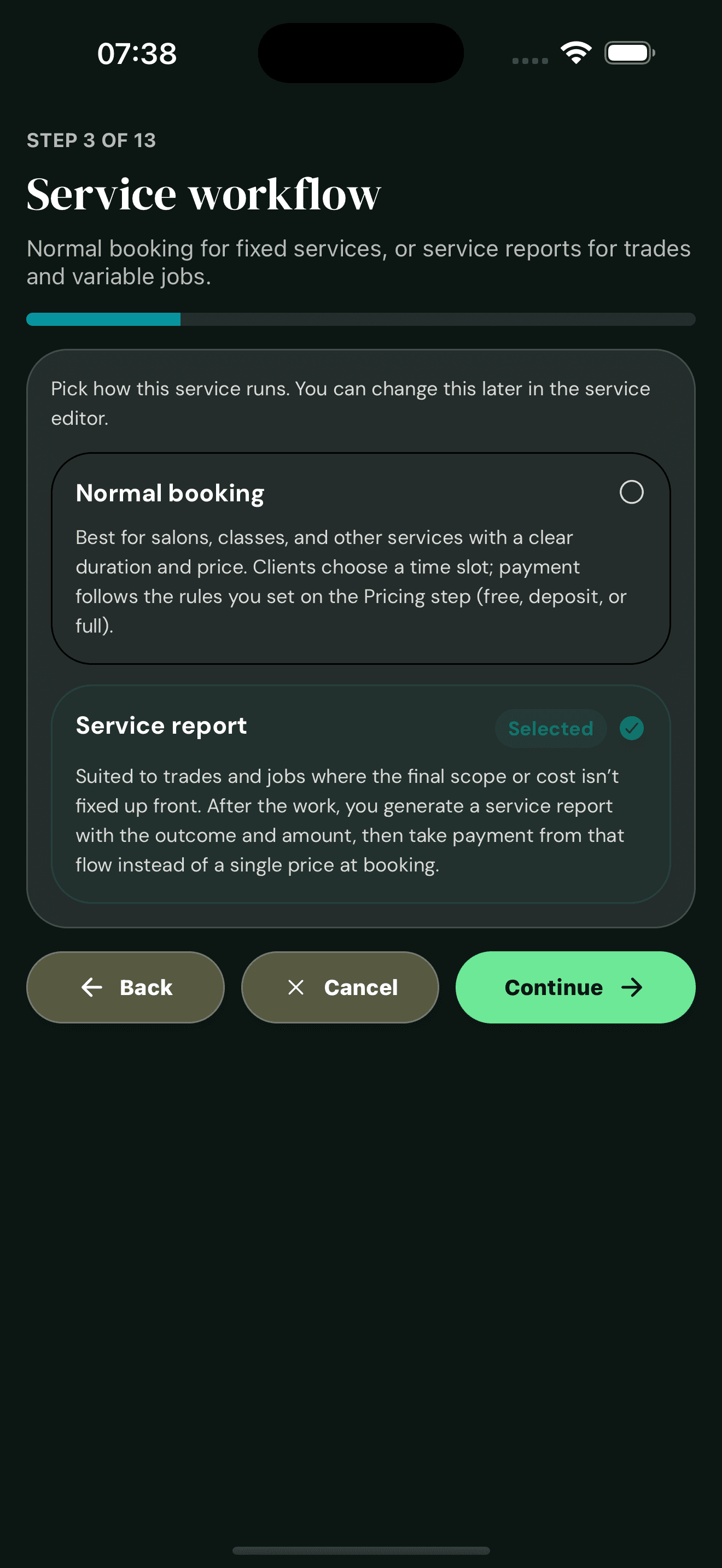
Choose Service report instead of Normal booking when the final scope or cost isn't fixed in advance. Cyntree charges a starting rate at booking and settles the rest after the job is done.
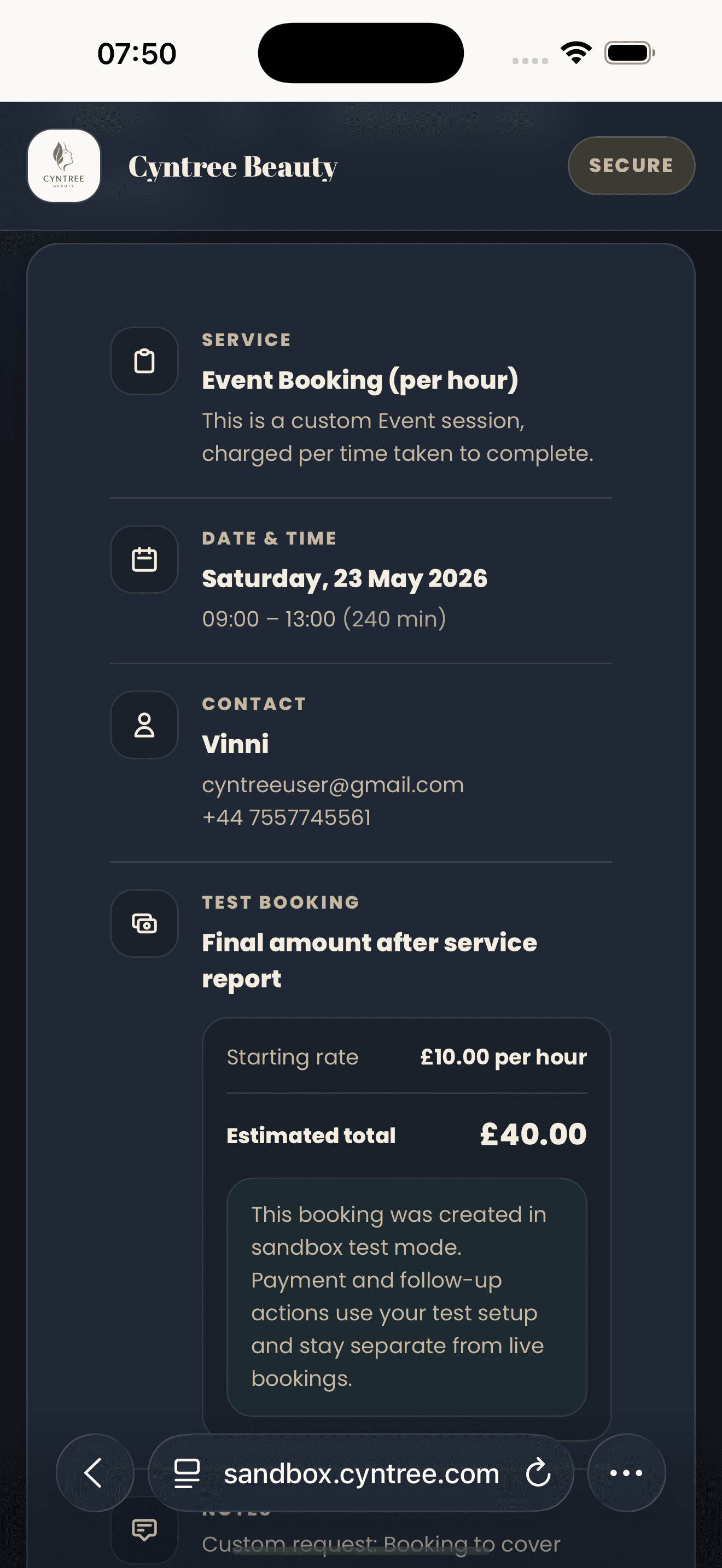
Your booking page shows the per-hour rate and an estimated total, with a clear note that the final amount is set after the service report. No surprises, no nasty add-ons at the end.
Fair pricing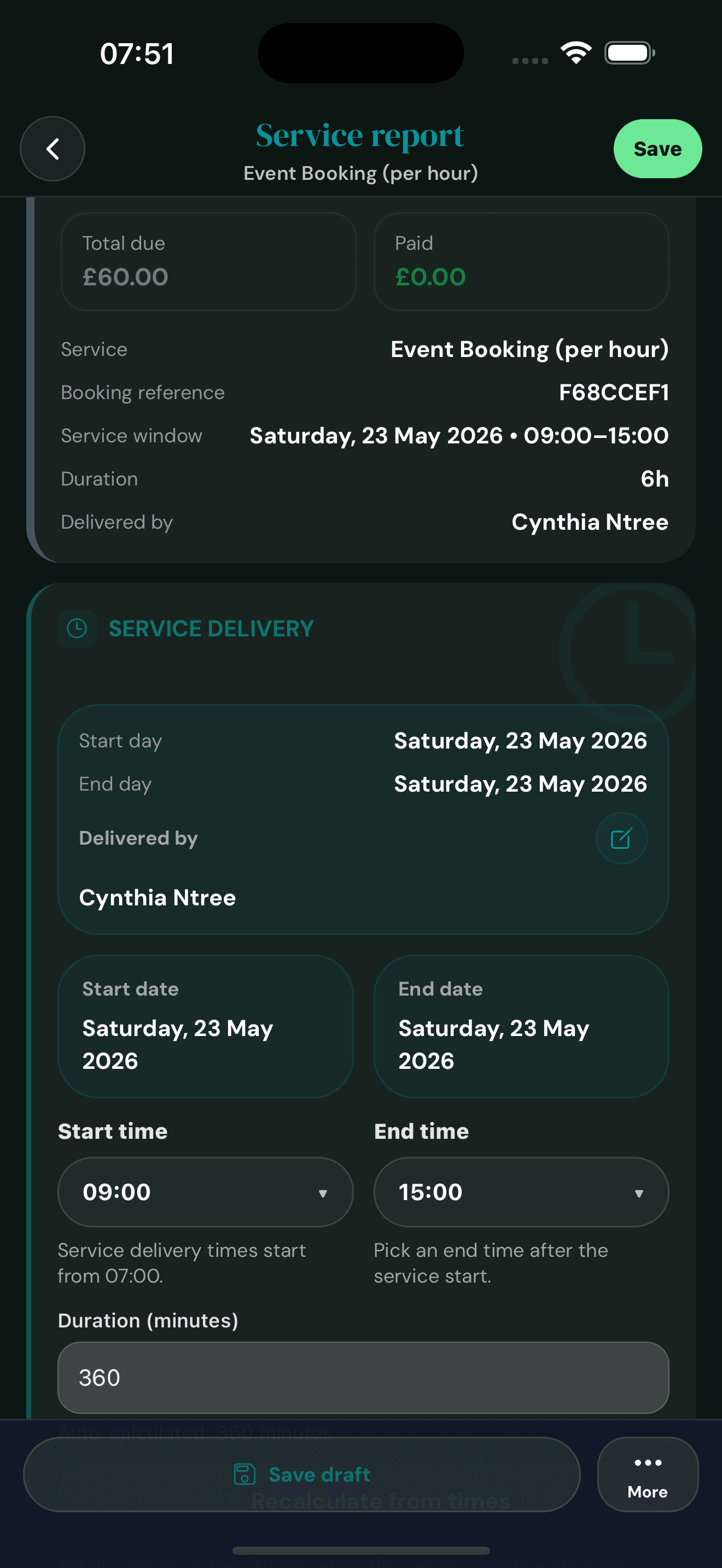
When the job's done, open the report and log the actual start and end times. The app works out the duration so your billed hours always match what the client experienced.
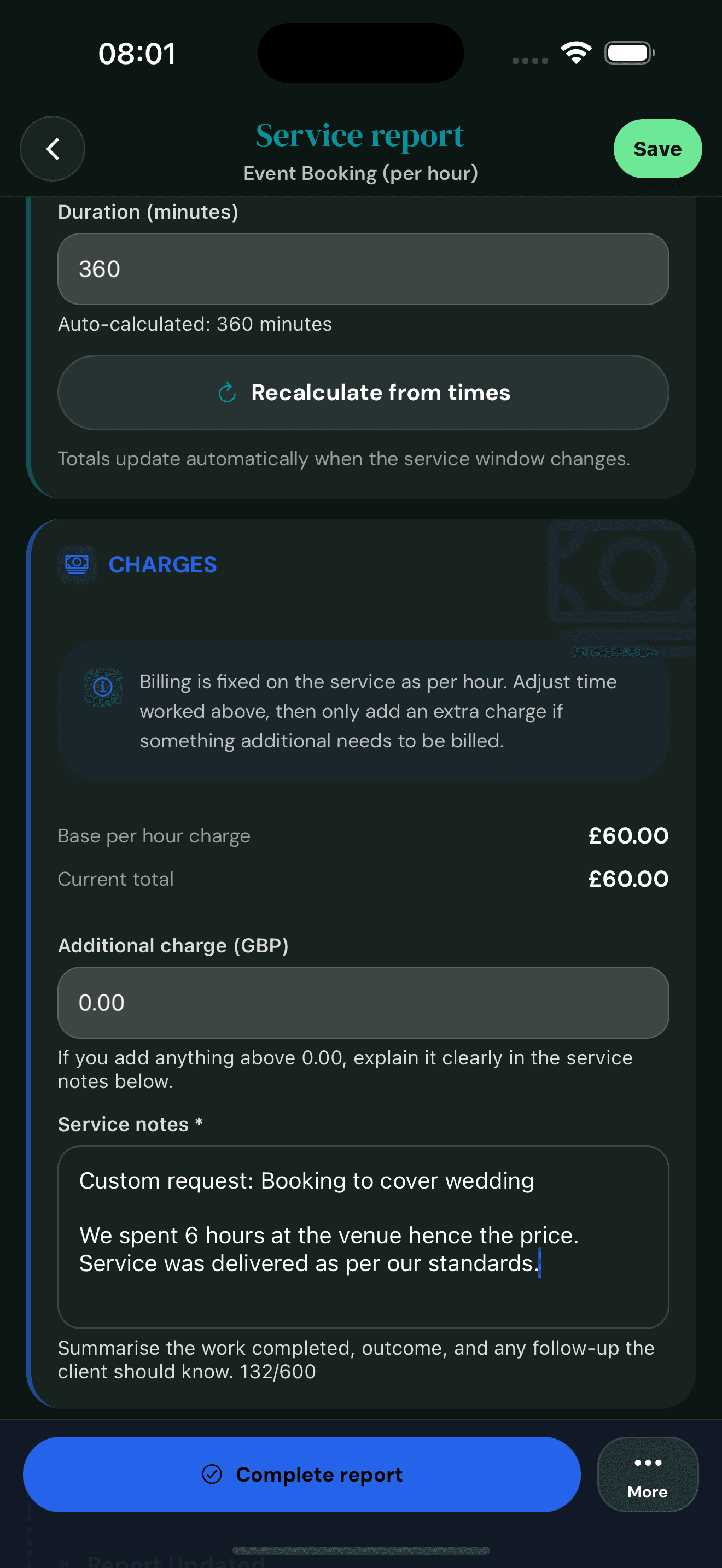
Pull the new base charge from real hours, add extras if needed, and summarise the work in the notes. Anything you charge for has an explanation right there on the receipt.
Audit trail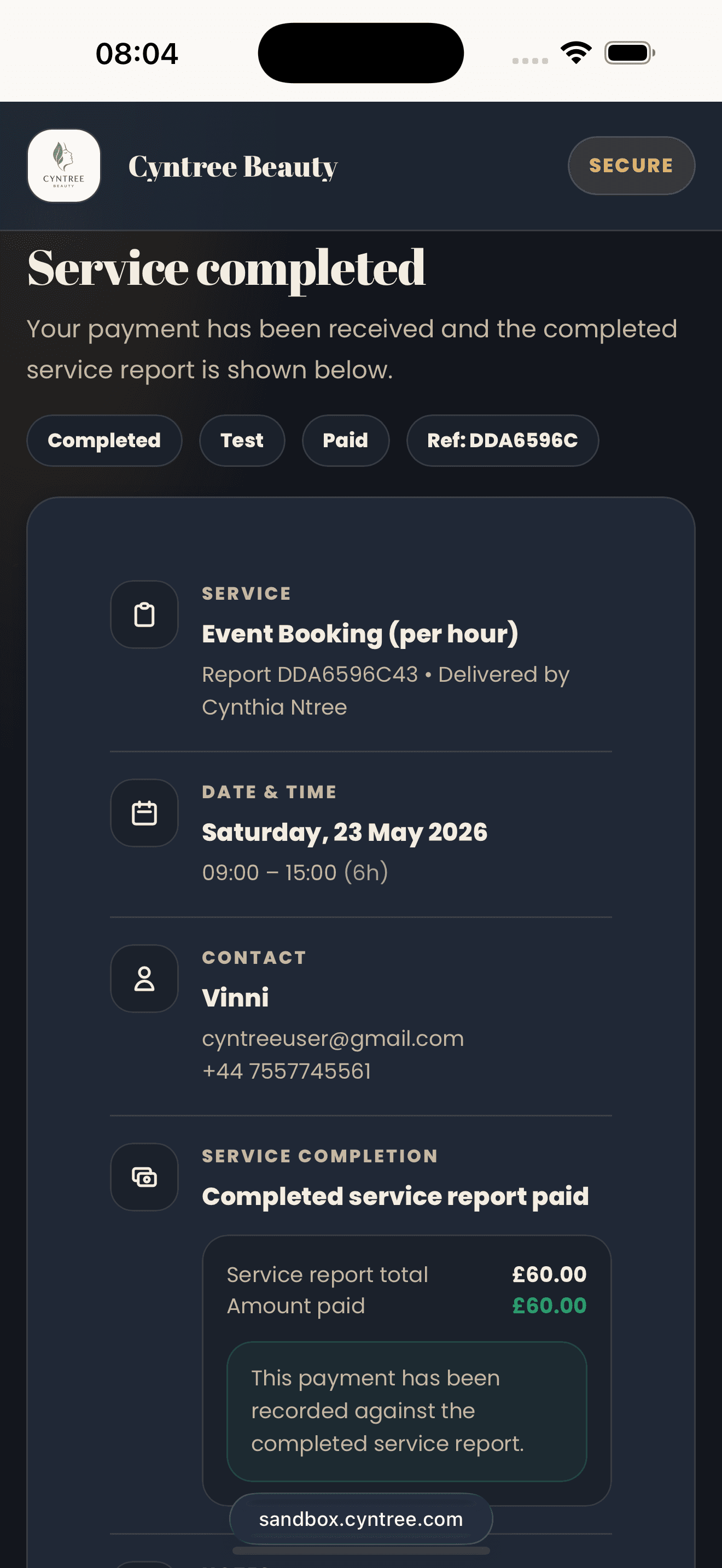
When you complete the report, the client sees a Service completed page with the final total, hours delivered, and your notes. The booking moves to Completed and you can send a thank-you or invoice in one tap.
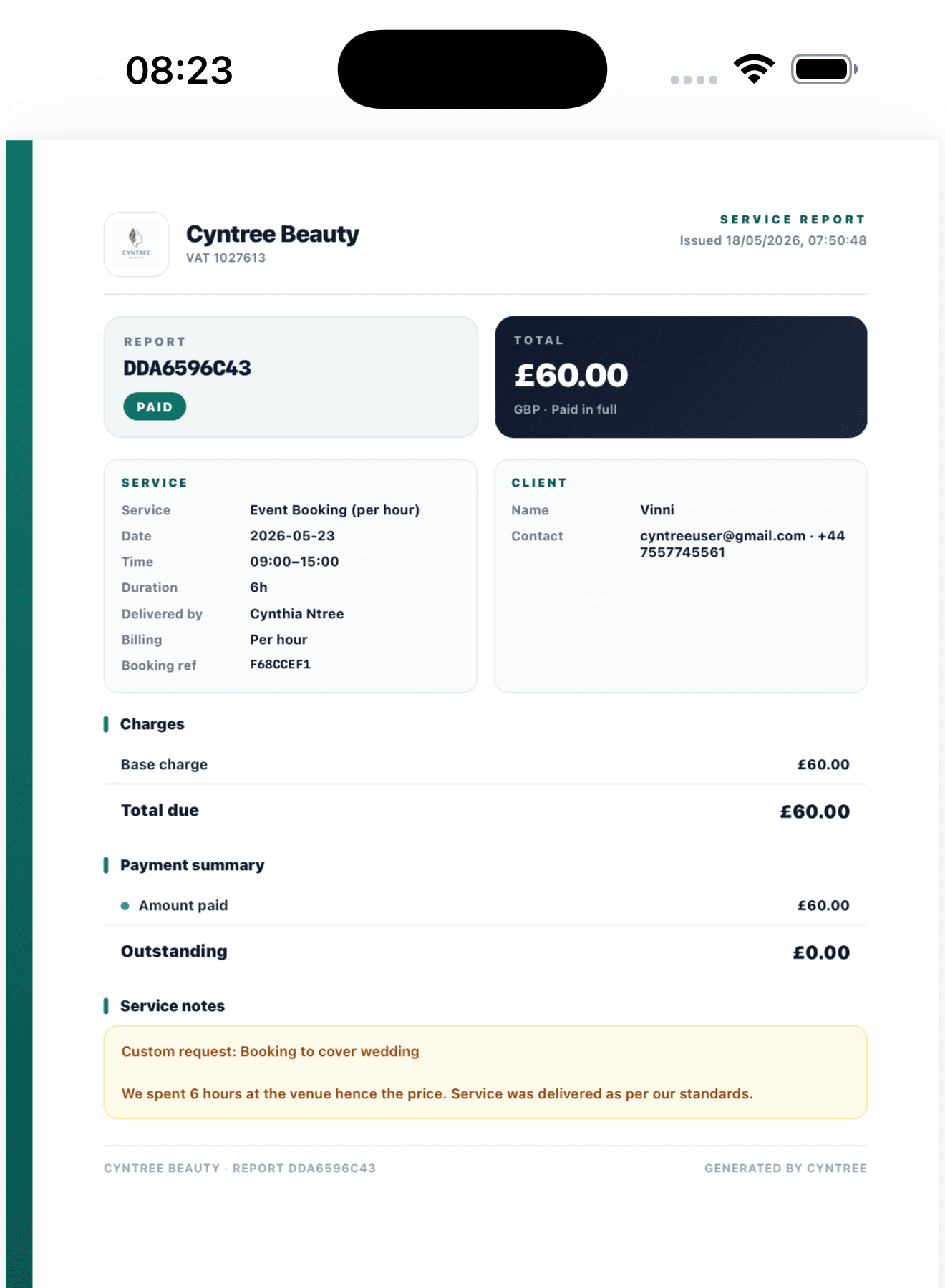
Every completed report becomes a branded PDF showing your business name, logo, the service details, charges, payment status, and your service notes. Cyntree emails it to the client the moment you mark the report complete. If they ever lose it, you can resend the same PDF from the booking in one tap, or download it yourself to attach to an invoice. The PDF stays on the booking record permanently, so it's there whenever you need it for VAT, a client enquiry, or a re-issue.
VAT-ready PDFOpen a single time slot to multiple paying clients. Set the capacity, fix the weekly schedule, share one booking link. Every attendee gets their own confirmation, their own payment, and their own record, while you watch the slot fill in real time.
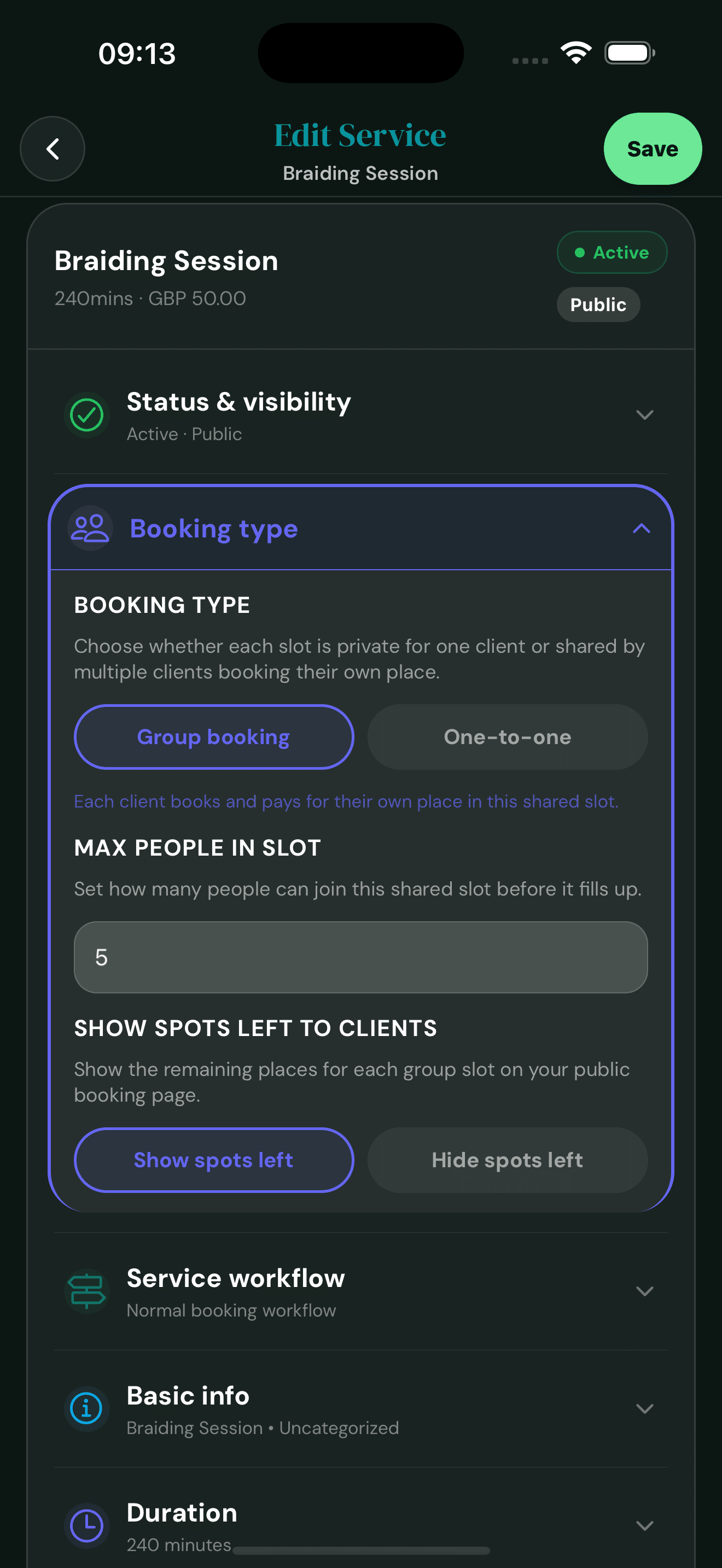
Switch the booking type to Group and set the maximum capacity. Choose whether to show clients how many places are left so your booking page nudges late-deciders with real social proof.
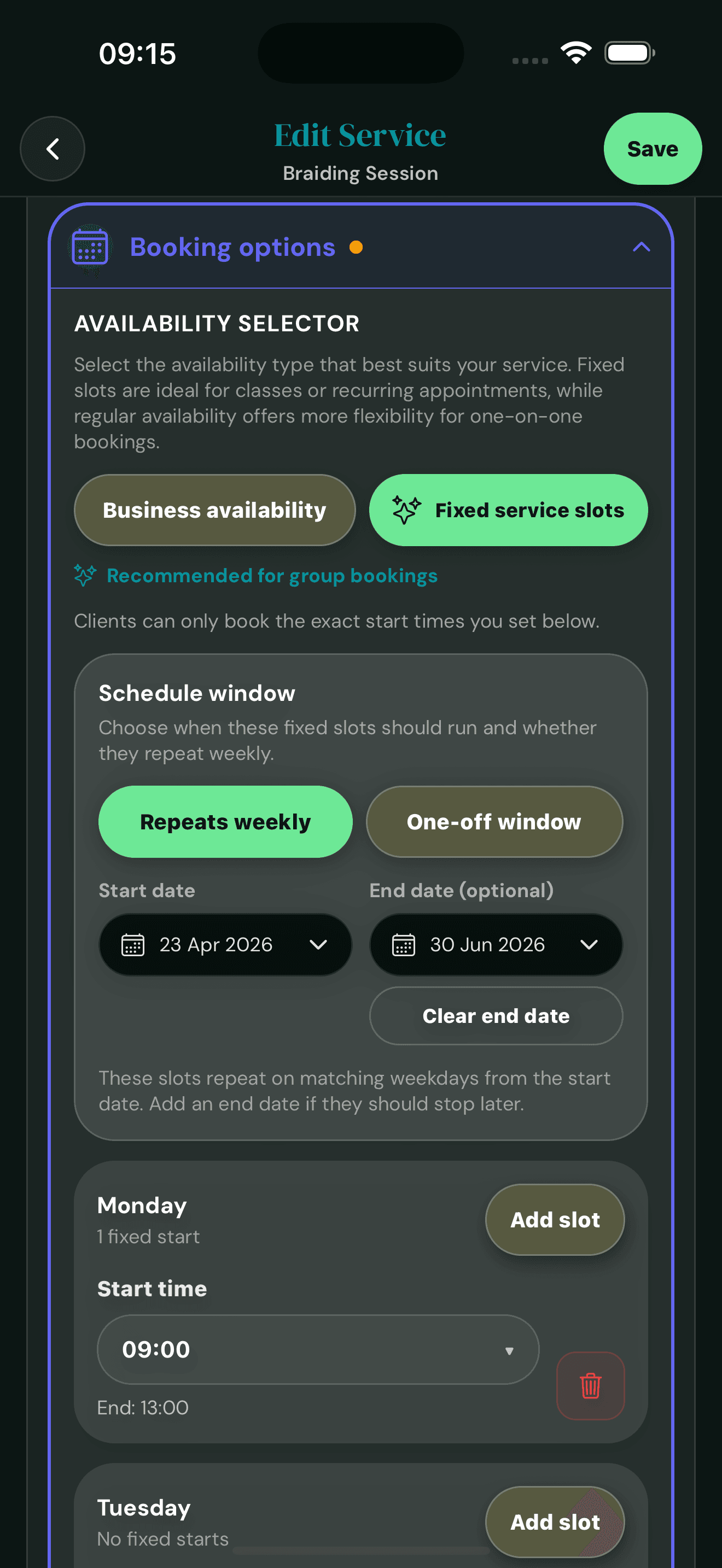
Pick Fixed service slots, set a weekly repeat, and add the start times for each day. The schedule rolls forward on its own, so new weeks keep opening with the same slots ready for clients to book.
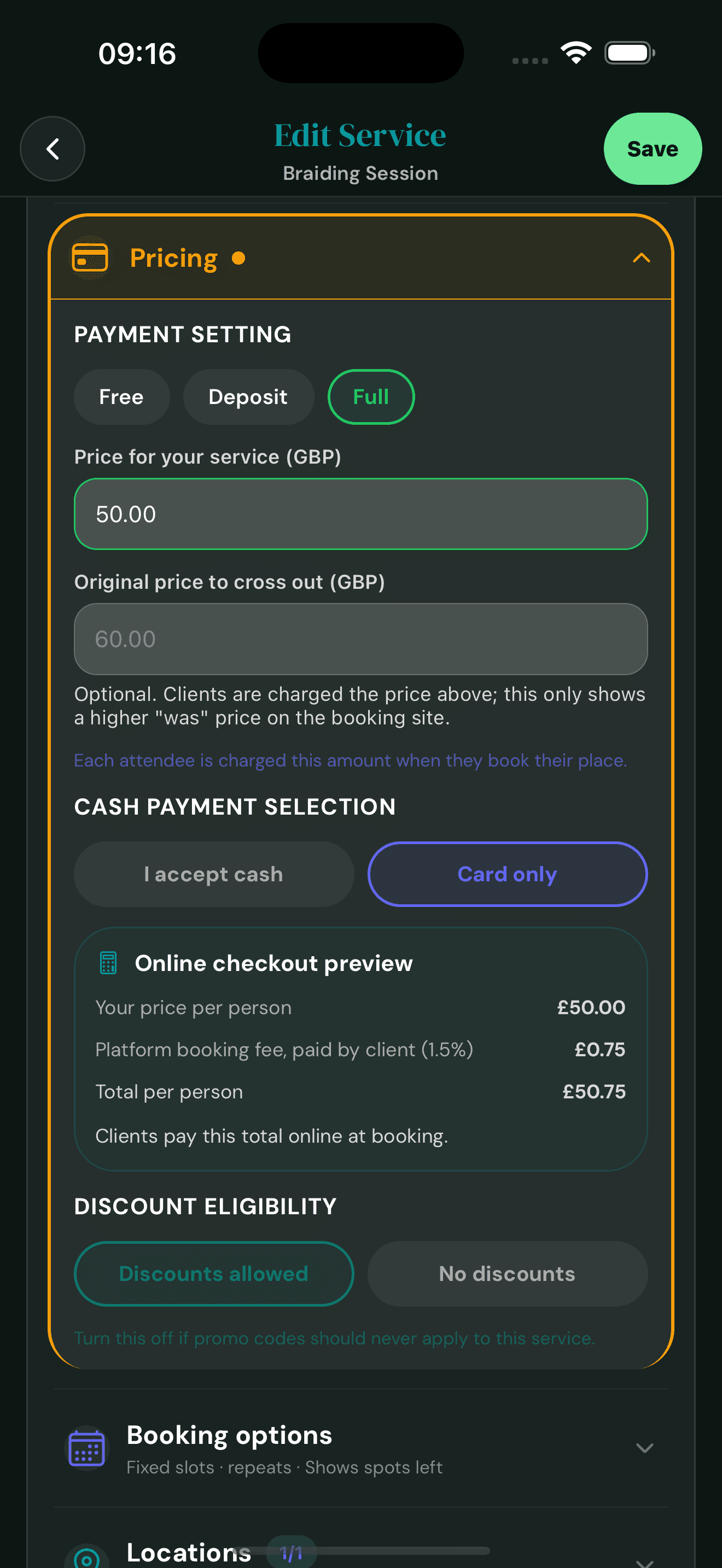
Set the price each attendee pays, with an optional was-price to highlight a discount. The online checkout preview shows clients exactly what they'll pay, including the small platform fee, before they book.
Each pays their own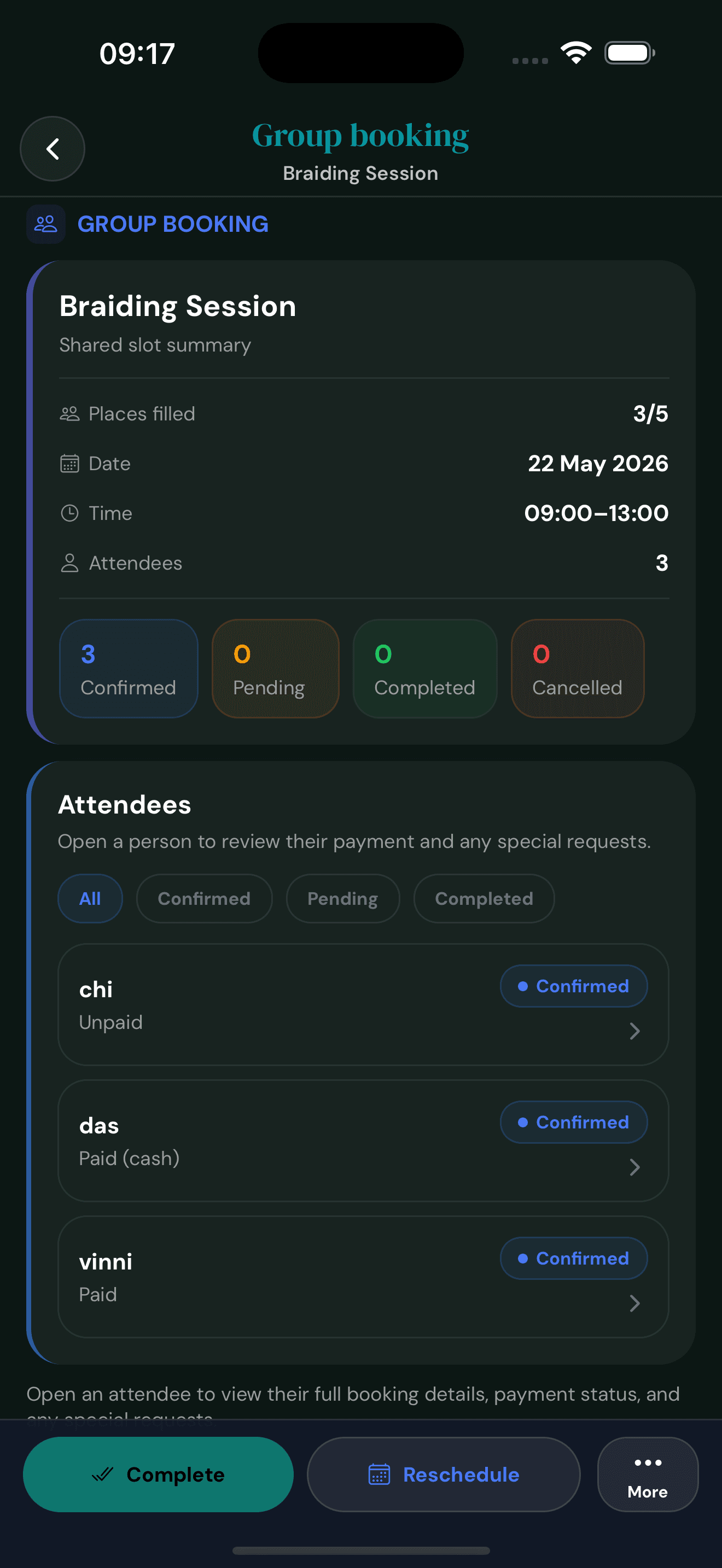
The group view shows places filled, attendees, and a live count of confirmed, pending, completed and cancelled. Refresh once before the session and you know exactly who's coming.
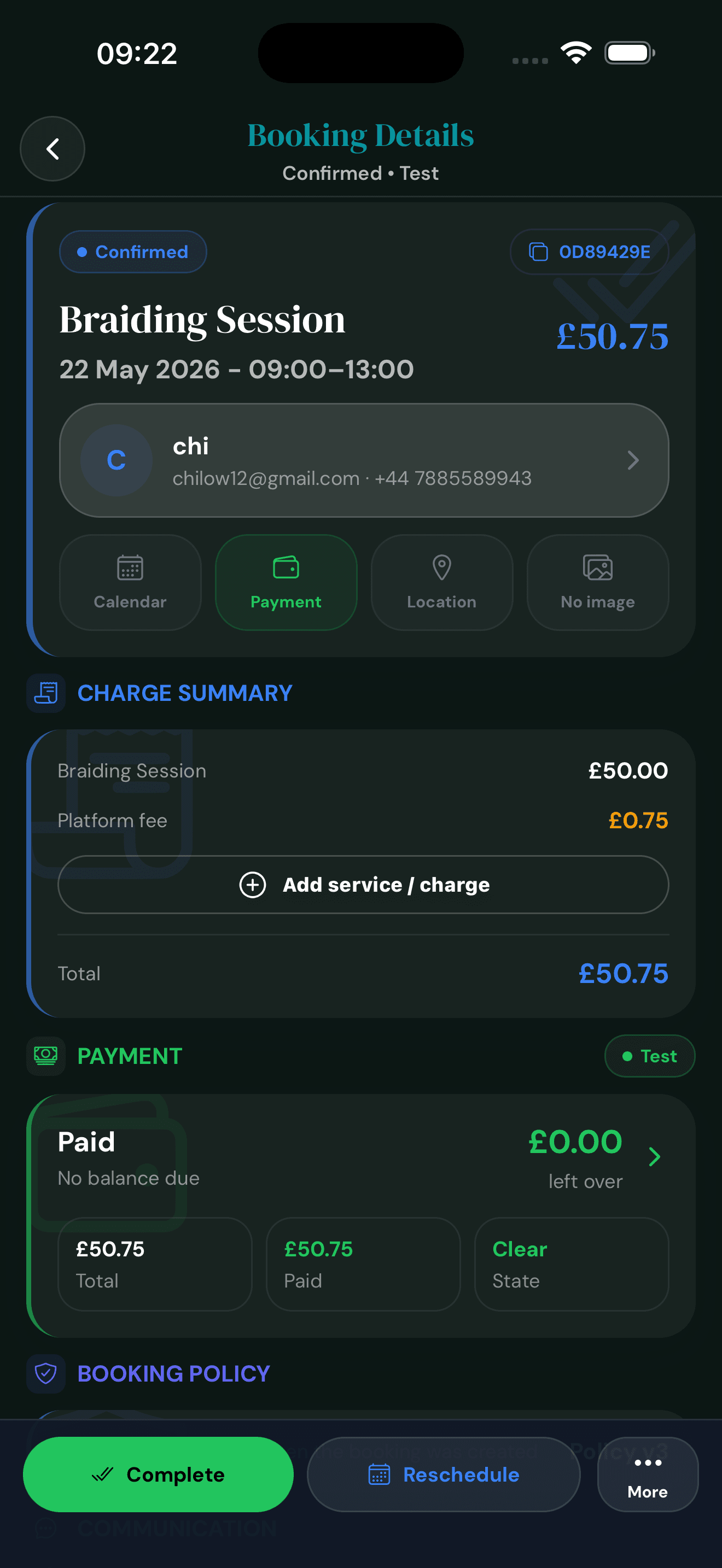
Tap a name to see that attendee's booking: contact info, charge summary, payment state, and any special requests they left. Every place has its own record so you can refund, reschedule, or message them individually.
Per-attendee record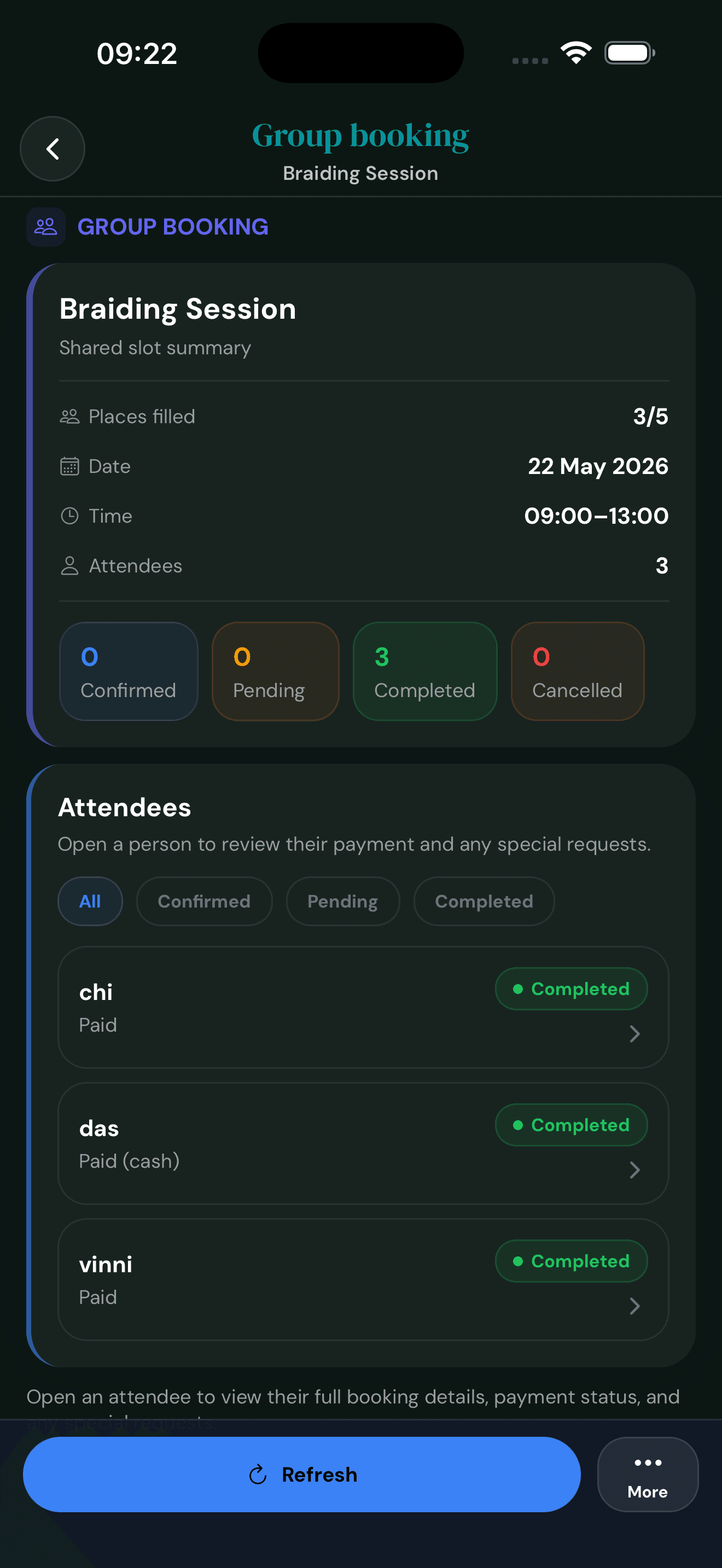
When the class is done, mark the group complete and every attendee's booking flips to Completed at once. The whole session is logged, every payment is on file, and the slot is ready for reporting.
From booking confirmations to post-appointment thank-yous, Cyntree sends the right email and text at the right moment. Polished defaults work on day one. Customise the ones that should sound like you, and the hub flags what's changed at a glance.
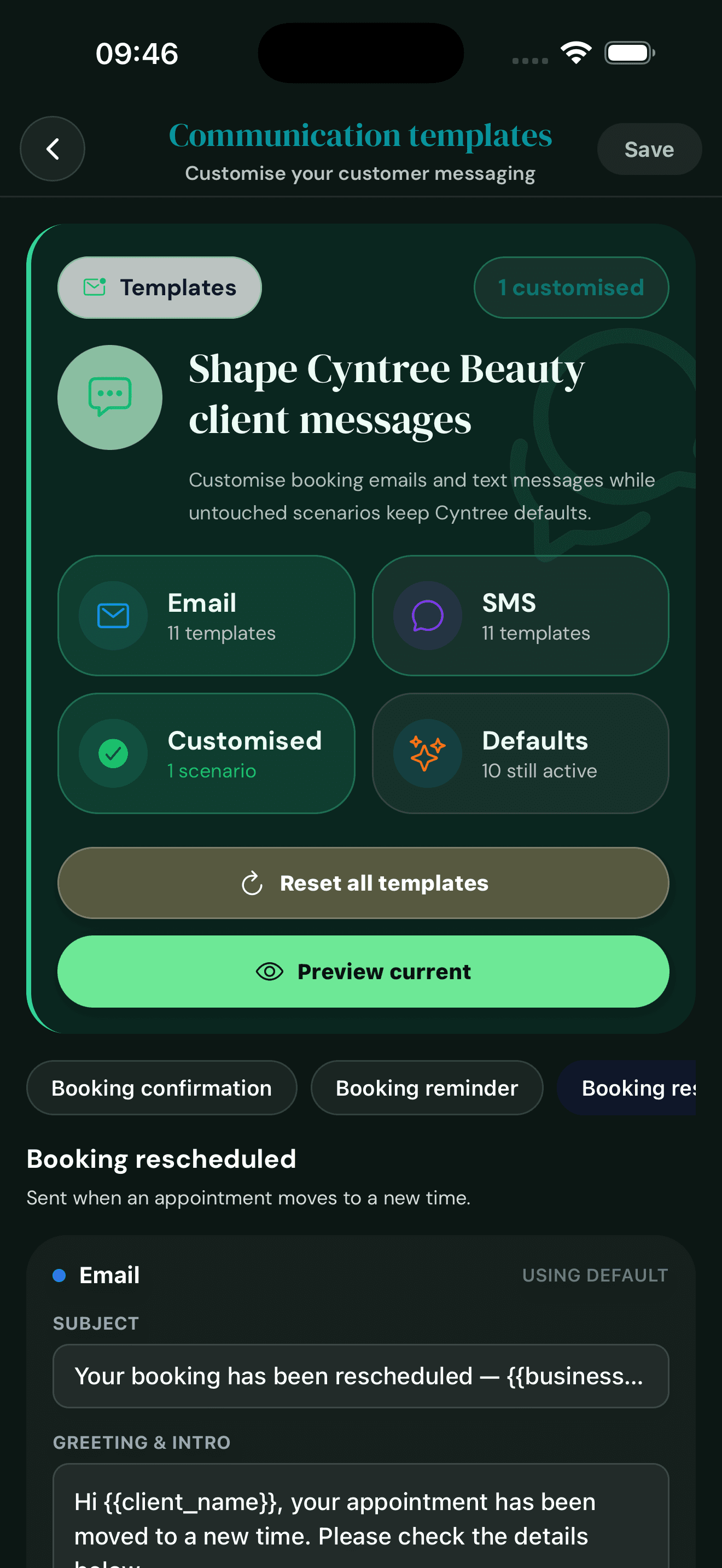
Eleven booking moments, each with an email template and an SMS template. Cyntree marks which ones you've customised and which are still on default, so you always know what's in your voice and what's running on autopilot.
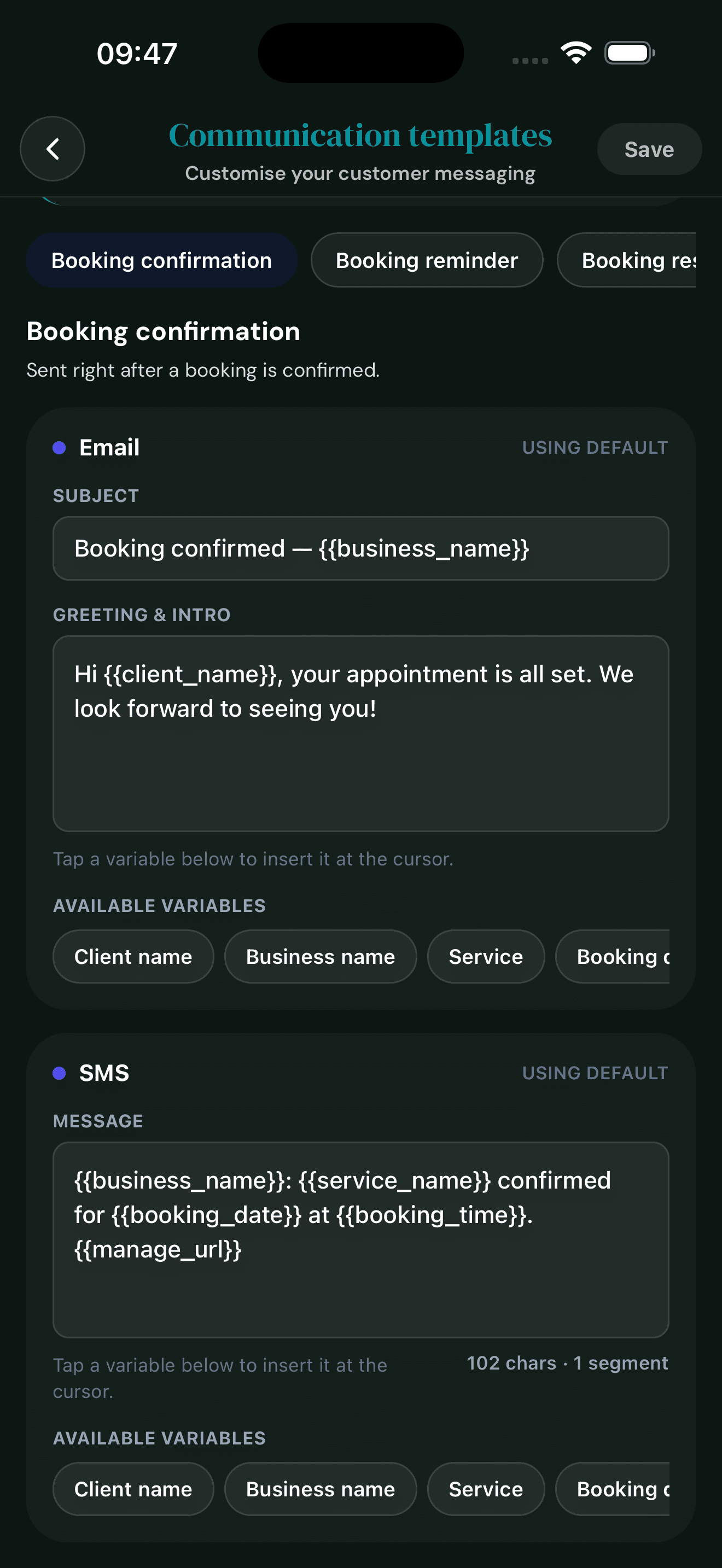
When a client books, the confirmation email and text fire with their service, date, time, and a link to manage the booking. Edit the subject, greeting, or whole message any time, or leave it on default and Cyntree handles the wording.
Defaults ready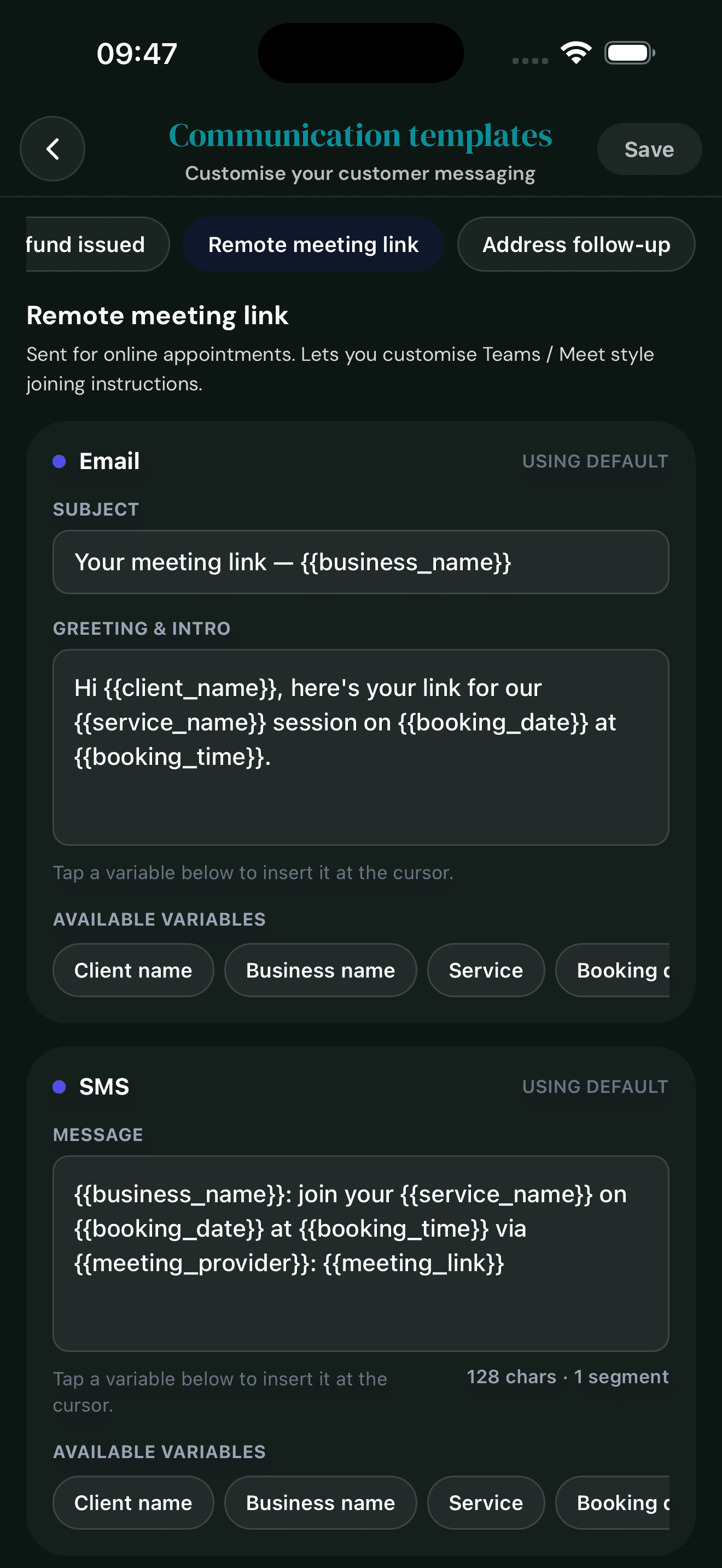
For Teams or Meet-style sessions, the remote-meeting template carries the link, the time, and any joining instructions you'd like to add. The meeting-link variable drops in automatically based on the booking.
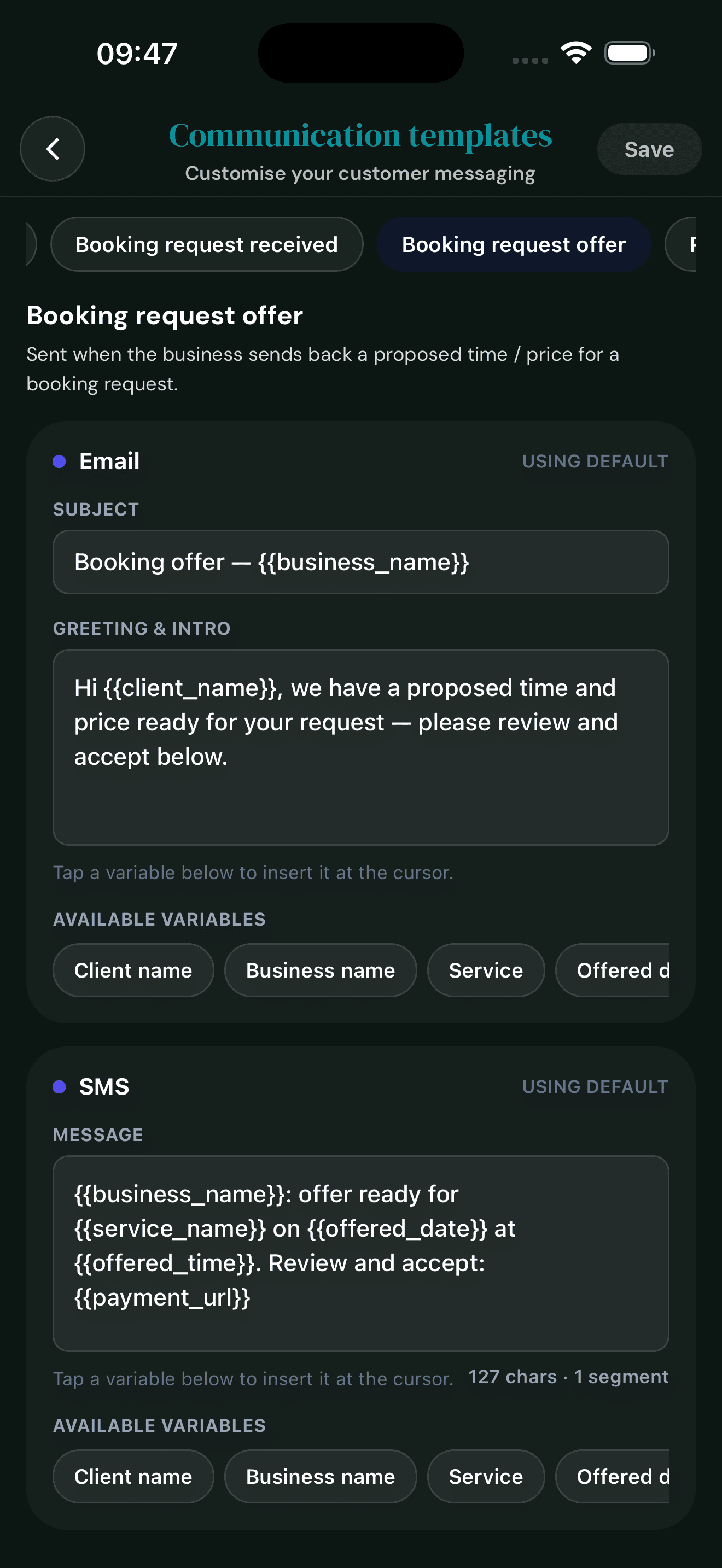
When you send a booking-request offer with a different time or price, this template fires with your wording. Pair it with the Booking Requests flow so the entire back-and-forth keeps your tone.
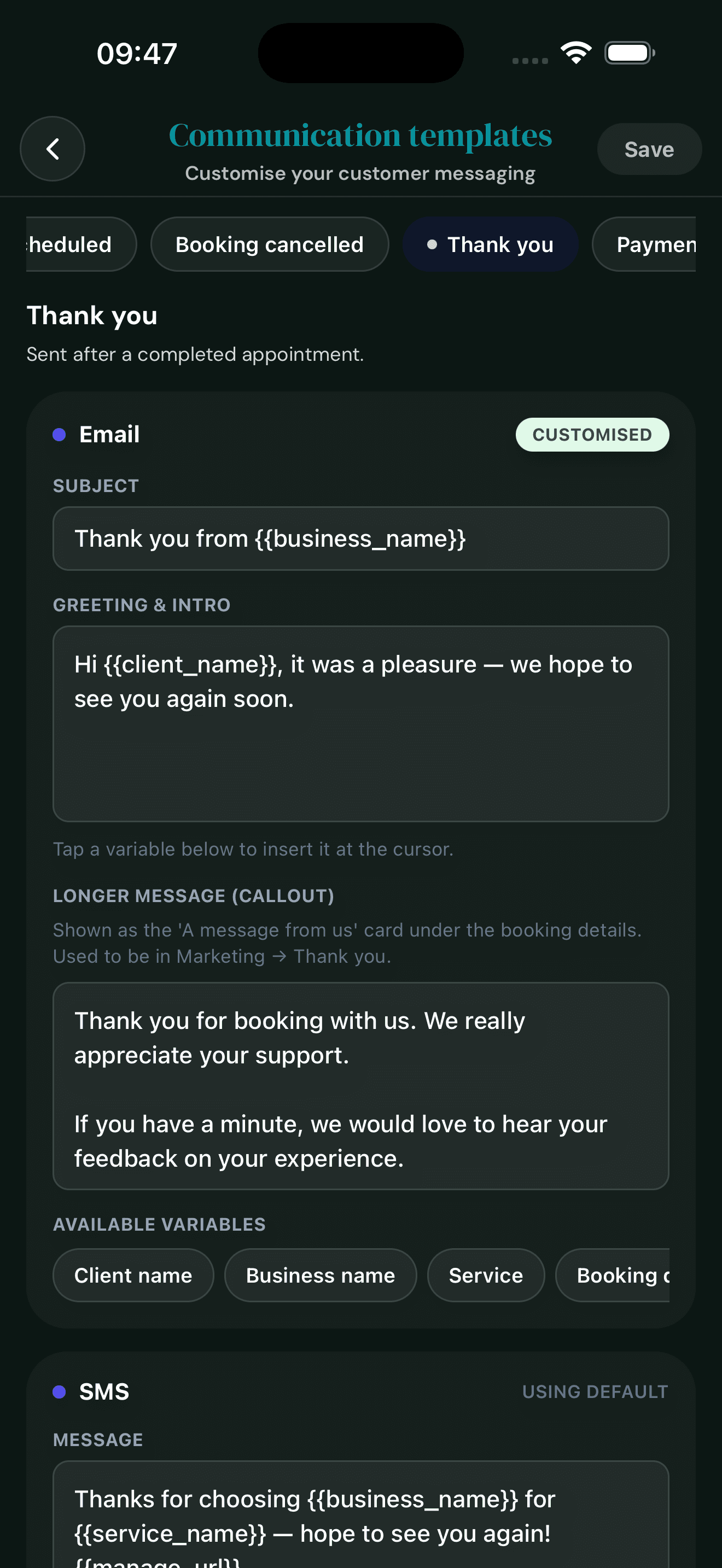
Sent after a completed appointment, this one supports a longer 'message from us' callout shown under the booking details. Use it to ask for feedback, share a discount code, or just say thanks in your own voice.
CustomisedStart with the essentials, then move into Pro or Premium when richer websites, booking requests, reports, and marketing start paying for themselves.
The core booking system for solo businesses getting online fast.
For businesses that need stronger availability, requests, reports, and marketing.
For businesses that want websites, rich media, service reports, and advanced insight.
Everything in Premium, plus shared calendars and control over who can do what.
Give clients more than a plain link. Build a page that feels trustworthy, matches your style, and still gets people straight to booking.
Every account gets a booking website out of the box. Switch the layout style, colour palette, and typography from inside the app — no designer needed.
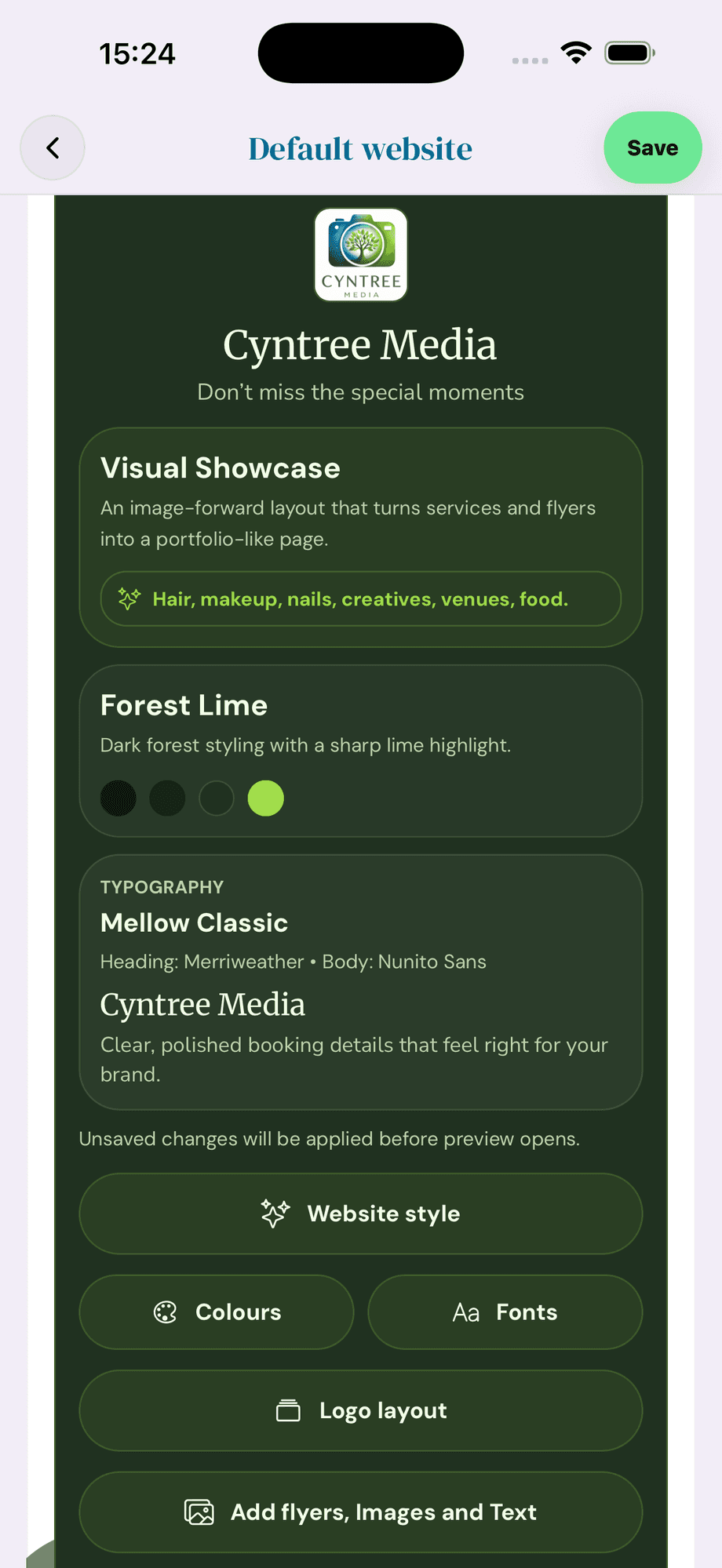
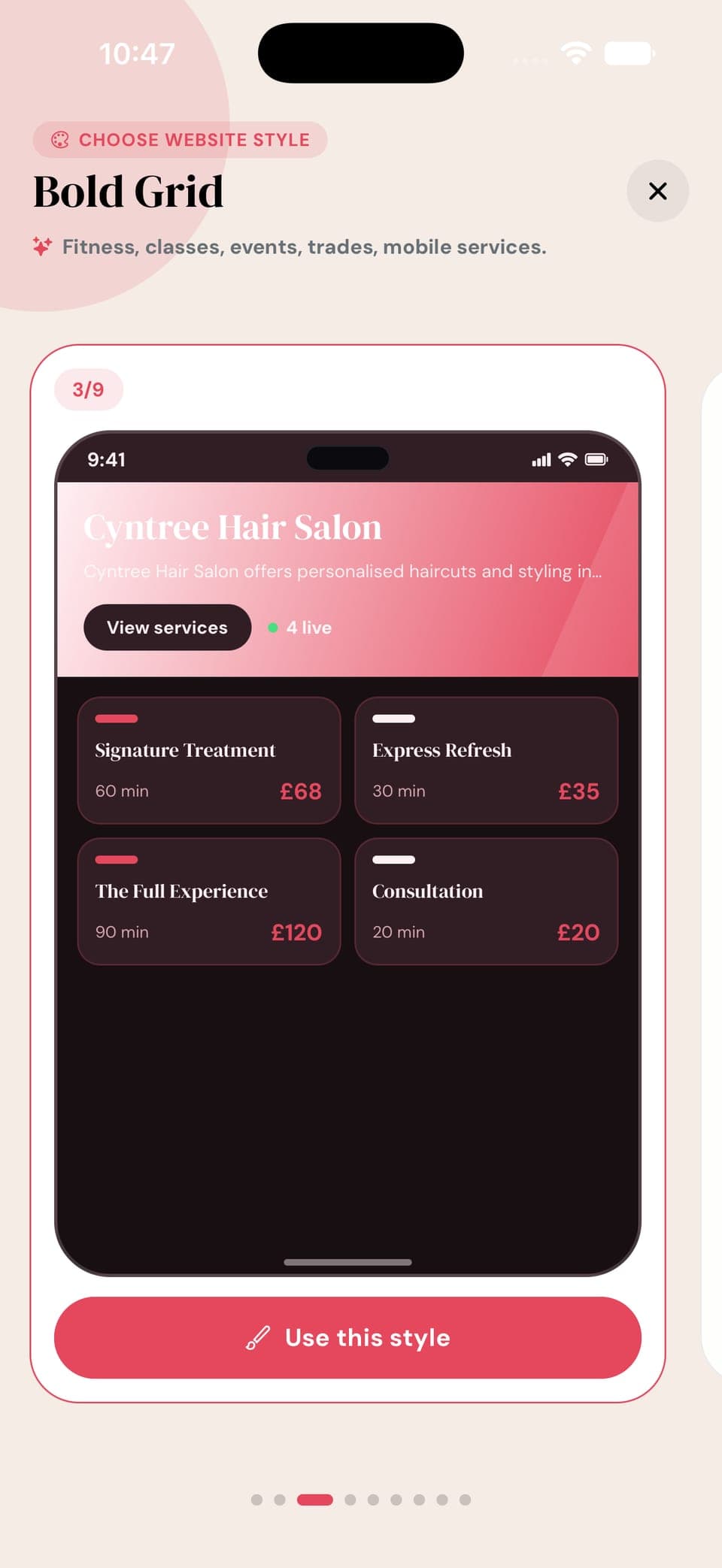
Classic, Editorial, Bold Grid, Visual Showcase, Minimal Pro, Luxury Split and more — each built for a different kind of service business. Swipe through a live preview of each, then tap to apply. Your colours, fonts, and flyers carry across.
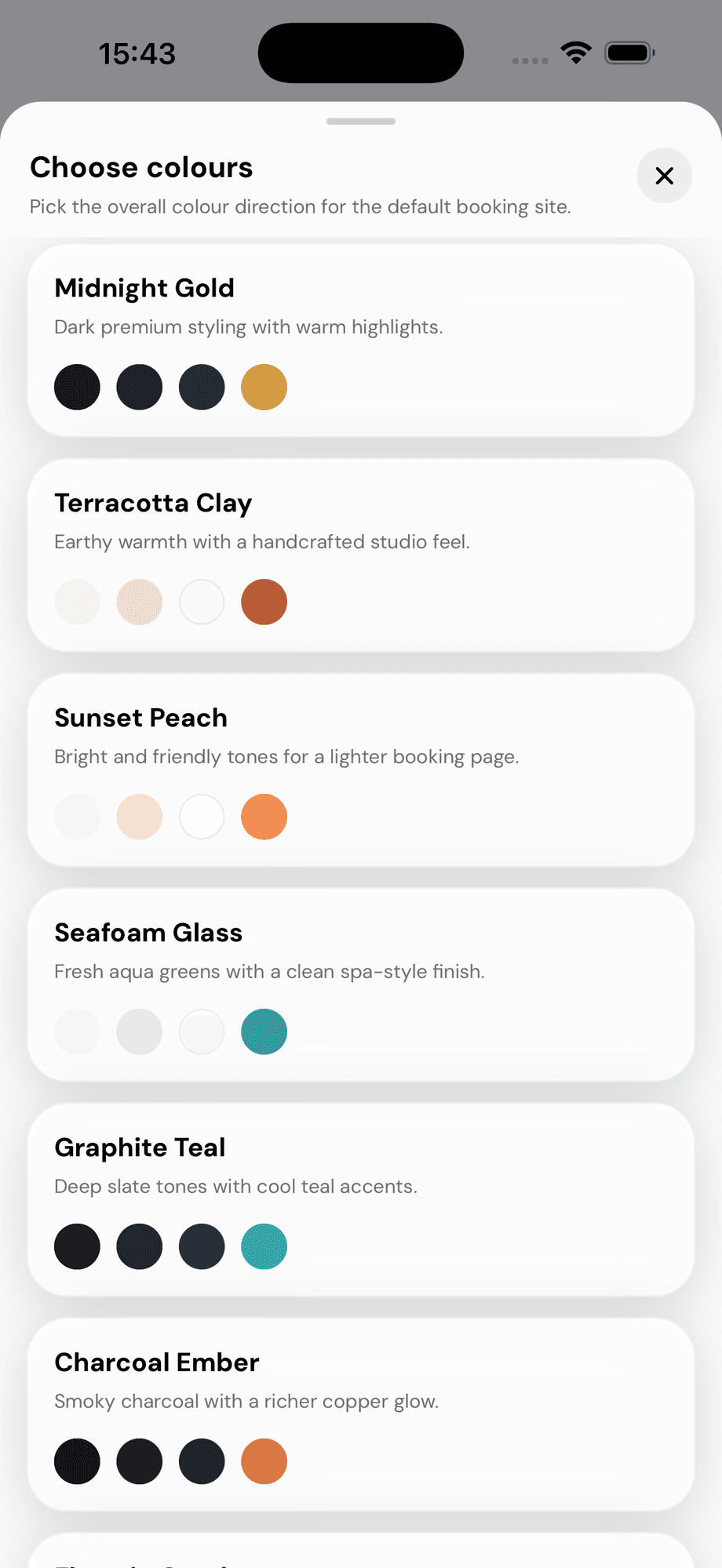
Midnight Gold, Terracotta Clay, Seafoam Glass, Graphite Teal and more — choose the mood that matches your brand in one tap.
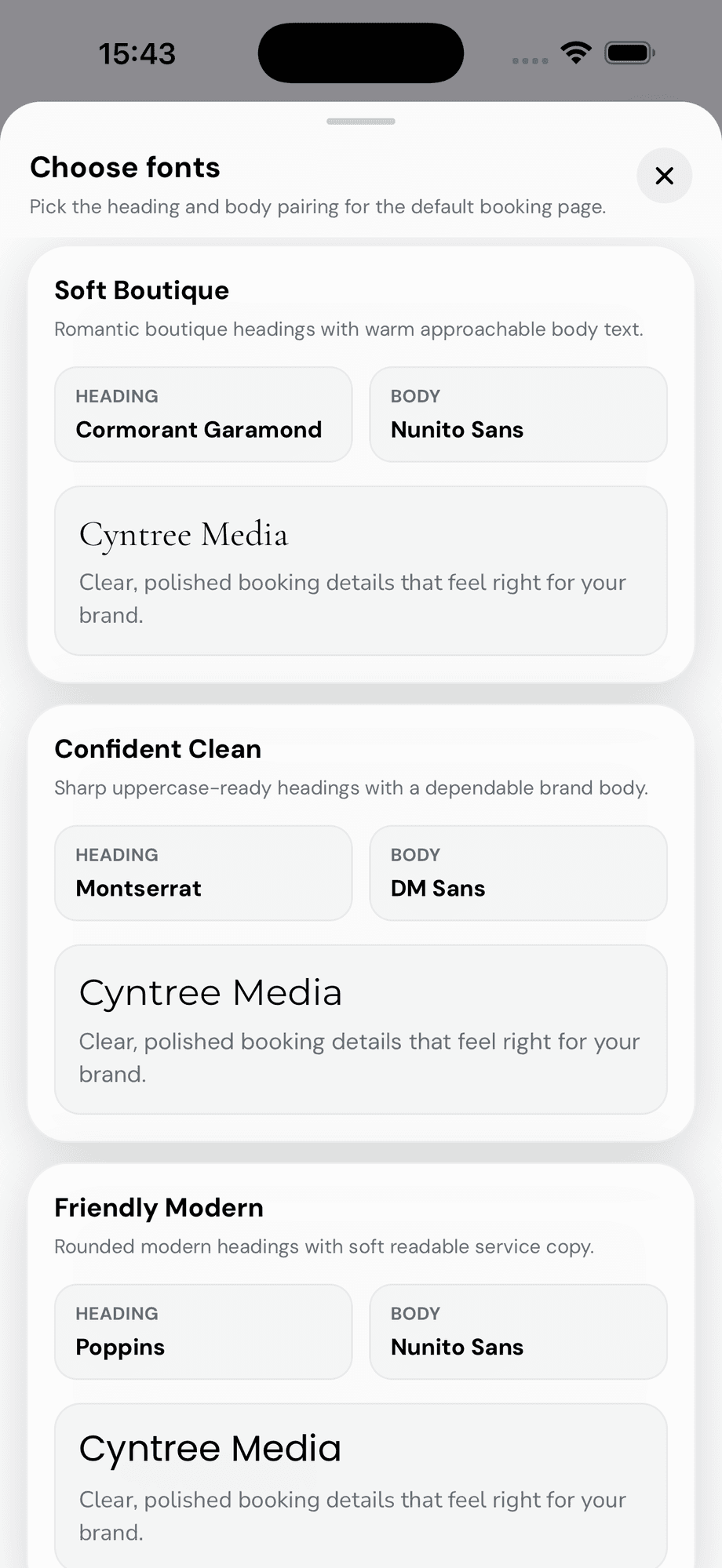
Soft Boutique, Confident Clean, Friendly Modern and more — heading and body pairs curated for service businesses, no design knowledge needed.
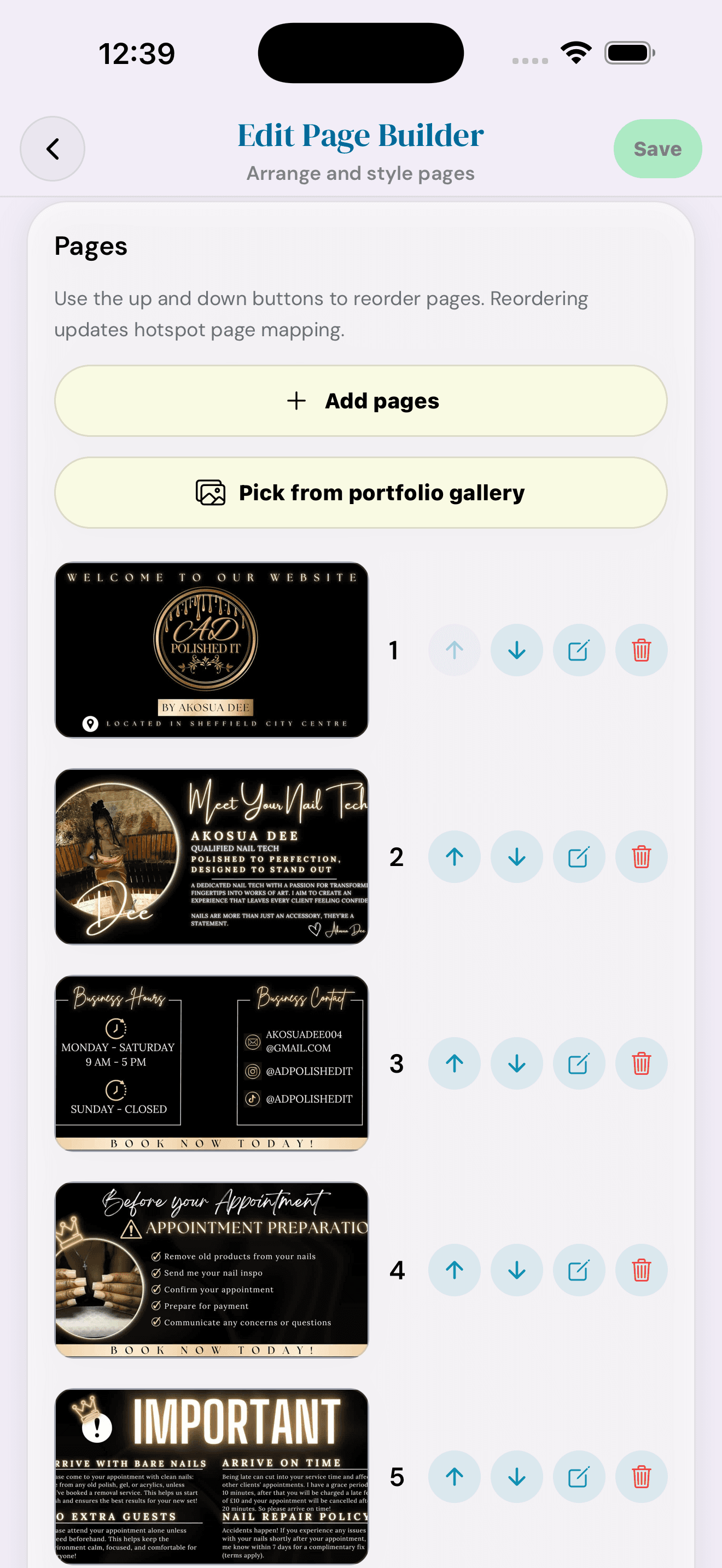
Describe your business, choose your tone, edit the copy, add images, and publish a mobile-friendly website clients can book from.
Upload JPG or PNG designs, set colours, place booking buttons, preview the flow, and publish a branded booking page.
Open each area to see what Cyntree can handle for your day-to-day bookings, clients, payments, websites, and growth.
Control how, when, and where clients can book you.
Clients choose a service, date, time, add-ons, and payment option from a clean public booking flow.
Set normal working hours, block time away, and keep your diary accurate without rewriting every service.
Create bookings yourself and send client confirmations when the booking is added by the business.
Clients can request unavailable times, custom budgets, or services that need approval before confirmation.
Connect Google or Outlook so Cyntree respects the schedule you already use.
Run classes, pop-ups, workshops, or shared sessions with capacity and spots-left logic.
Set the rules clients must follow before a slot becomes available.
Make each service work exactly the way you deliver it.
Manage status, visibility, duration, pricing, locations, booking options, media, and how the service is delivered.
Describe a service in your own words and Cyntree drafts the name, description, duration, price, locations, and add-ons. Refine it with AI later without starting over.
Organise services into clear groups. Starter stays simple; Pro and Premium unlock richer menus.
Offer paid extras clients can choose during booking. Pro includes a set amount; Premium removes the cap.
Offer business location, client address, remote, or custom delivery options per service.
Hide selected services from the public list while still sharing a direct booking link.
Show clients what they are booking with images on service cards and booking pages.
Ask clients to upload an image during booking, with labels configured per service.
Add short videos to service cards and website media for businesses that sell visually.
Reduce no-shows, collect money cleanly, and keep payment actions tied to bookings.
Take secure online payments and deposits through Stripe from the booking flow.
Use regional payment providers where they fit your business better.
Take deposits at booking and request remaining payment later when needed.
Let clients check out faster with wallet payments where supported by the payment provider.
Clients can add a tip after a completed booking when great service deserves more.
Handle full or partial refunds for supported payment providers from the dashboard.
Send professional payment requests from a booking, a service report, or a remaining balance.
Send a standalone, itemised invoice to anyone. Take payment in person with Tap to Pay on iPhone, or share a secure card-payment link.
Accept contactless debit and credit cards, Apple Pay, and other digital wallets in person — right on your iPhone, with no card reader or extra hardware.
Turn your booking link into something clients can trust and remember.
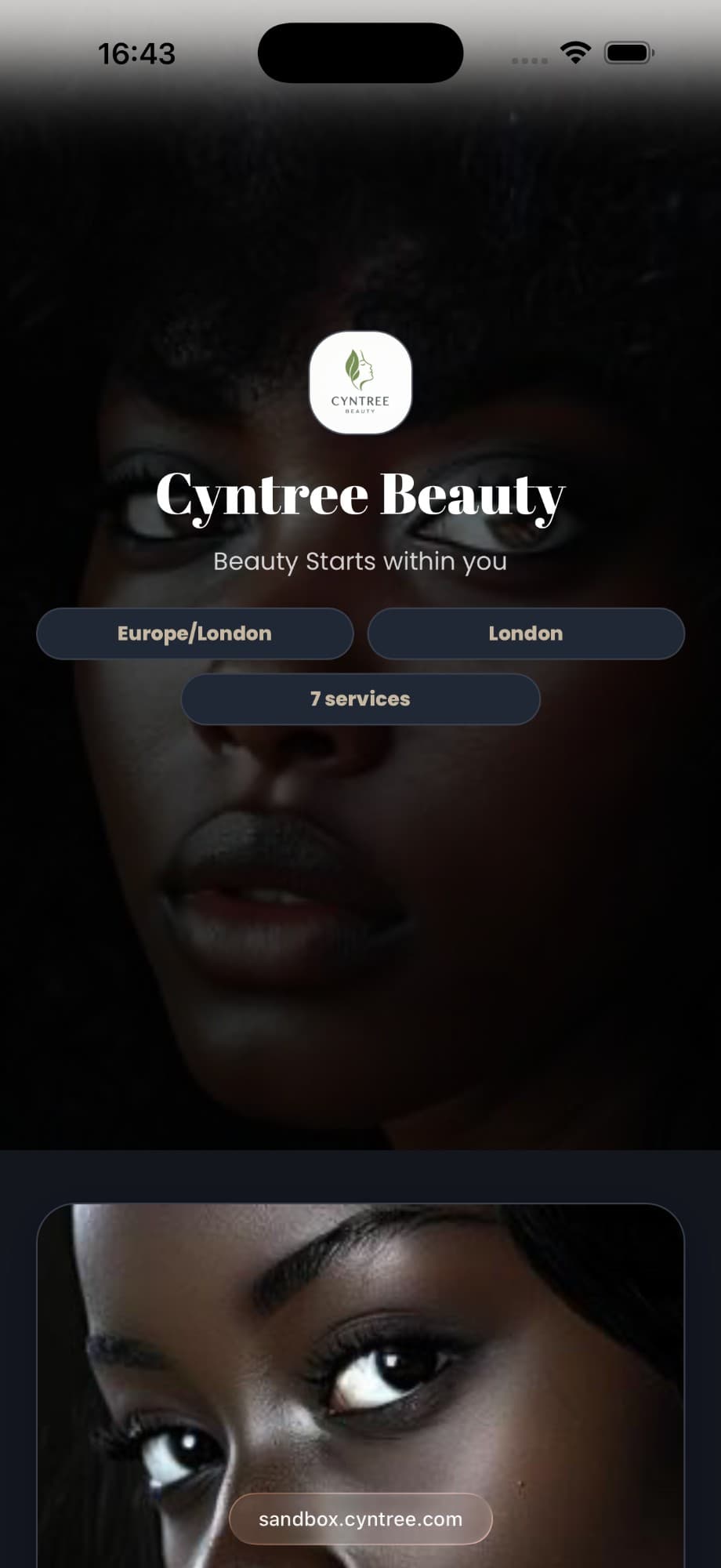
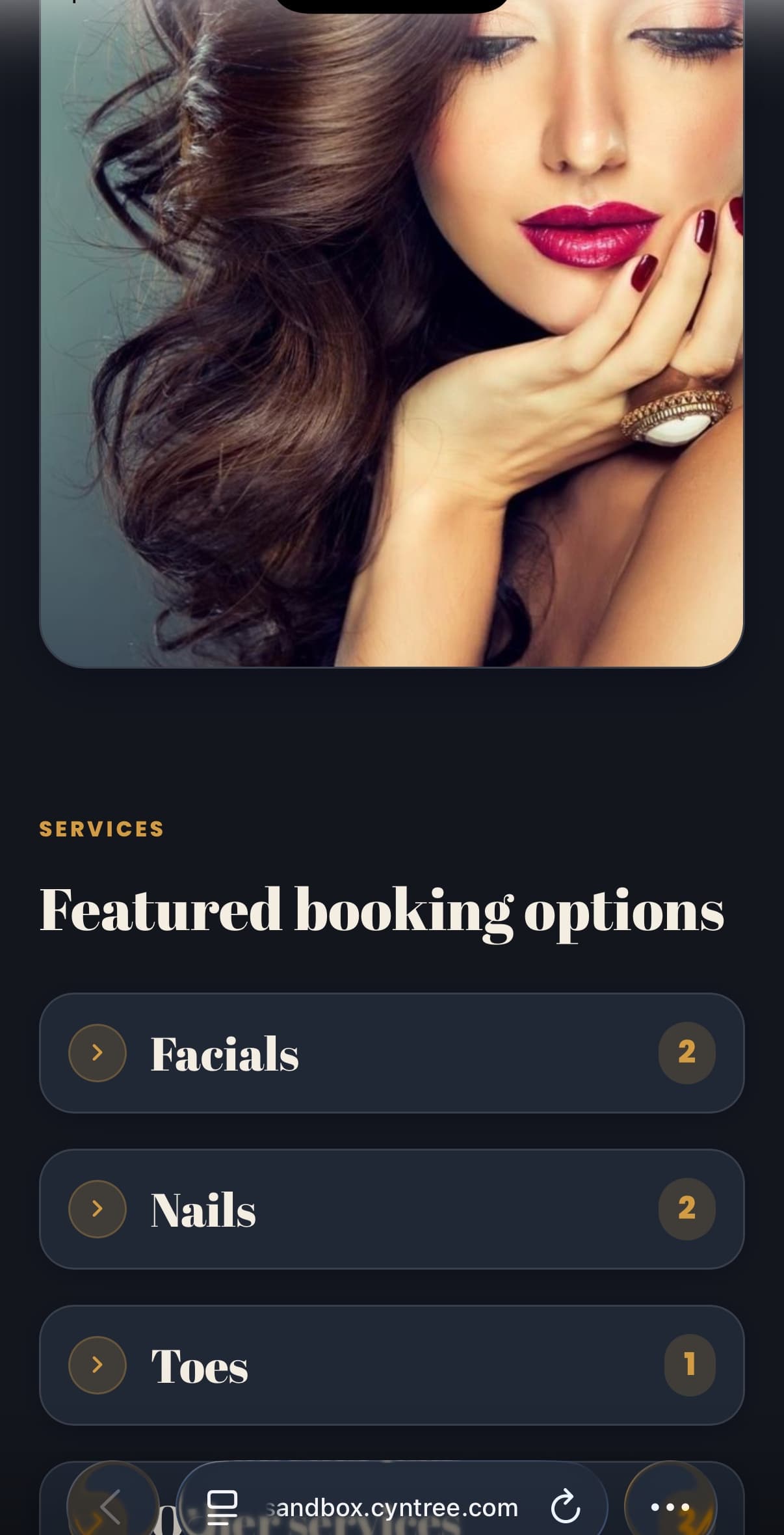
Every business gets a public page with services, availability, payment, and confirmation flow.
Use a branded booking link that feels more memorable and professional.
Share your booking or website link from flyers, counters, events, and social posts.
Describe your business and generate a polished website draft you can edit and publish.
Import JPG or PNG designs from Canva or other tools and turn them into interactive booking pages.
Showcase your work in a dedicated gallery that supports richer website and marketing presentation.
Adjust colours, copy, layout flow, and published variants so your page stays on brand.
Promote offers and bring clients back without juggling separate tools.
Create campaign assets, promotional settings, and reusable brand material for sharing.
Create codes for offers, loyalty, quiet periods, or limited-time campaigns.
Highlight offers and campaign messages directly where clients are already booking.
Use branded creative for promotions, follow-up messages, and feedback requests.
Add Instagram, TikTok, website, and other links so clients can trust you before booking.
Ask for feedback after bookings and use responses to improve service quality.
See how many people are viewing booking and website pages.
Understand what is working, where time is going, and what to optimise next.
Track bookings, revenue, no-shows, cancellations, and performance trends.
See which services clients book most so you can promote what is already working.
Understand which channels and booking sources are driving money into the business.
Use recent performance to forecast where revenue is heading.
See whether clients come back, who your top spenders are, and where loyalty is building.
Spot the times that fill fastest and find chances to adjust availability or pricing strategy.
Use smarter recommendations to make better operational decisions over time.
For work where the final scope is confirmed after delivery.
Mark selected services as report-based instead of charging a fixed total upfront.
Open a completed booking, record what was done, and build a clear service summary.
Capture job notes, worked time, and additional charges before anything is sent to the client.
Share the report alone or send it with a payment request when the final amount is ready.
Keep every client, reminder, and change connected to the booking.
See past bookings, payment history, notes, and preferences in one place.
Remember what matters for each client without storing it in separate notes apps.
Keep clients informed before appointments and after booking changes.
Add text-message reminders and alerts for higher-touch communication.
Control which booking, payment, and operational alerts you receive.
When appointments change, clients receive clearer updates automatically.
Choose whether addresses are sent immediately, 48 hours before, or on the appointment day.
Send structured forms after booking so clients can submit declarations, consent, documents, and signatures before the appointment.
Message clients directly in the app and keep the whole thread attached to their profile, instead of losing it in personal texts and DMs.
Run a business with staff — shared calendars, per-person availability, and control over who can see what.
Add everyone who works with you for one flat workspace price. There is no per-professional surcharge and no seat cap.
Co-owner, Admin, Professional, Receptionist, and Read Only — each with its own access. Rename the Professional role to match your trade.
Everyone keeps their own working hours and time off, on top of the shared business opening hours.
Let clients book any available professional and have Cyntree assign the appointment for you, in the order you choose.
Clients can pick the person they want when they book, so regulars keep seeing the same face.
See how the business is doing overall, while each professional sees their own numbers.
An operational record of who changed what, so nothing about a booking is a mystery later.
The daily operating layer for owners who are not always at a desk.
Manage bookings, services, payments, reports, marketing, and clients from your phone.
Run more than one business workspace from the same account.
Set up safely, test flows, then switch to live operations when ready.
Use the app comfortably across different devices, themes, and lighting conditions.
Ask a question in your own words and get an answer grounded in how Cyntree actually works, with the exact screen to go to.
Premium businesses get faster support for important setup and operational issues.
Test your setup, then upgrade only when the extra tools earn their place in your business.